
A competitor’s ad ran well. The client sent over the link, asking if we could make something similar. The operations manager opened the video, watched it twice, and started writing the prompt: how the camera moves, where the light comes from, how fast the pace is. Stuck at the third sentence—what was the previous version again? Spent ten minutes searching chat logs, only to find a description for another video. This happens far too often when repurposing assets across platforms.
The real challenge in turning video into prompts isn’t “writing it out,” but ensuring “what’s written can be used and compared next time.” The following process breaks extraction into three steps: getting the asset, waiting for analysis results and verifying them, and logging them into generation tools for archiving. Each step has clear inputs, decision points, and rework costs.
First, Clarify What to Extract: The Six Layers of Information in a Video That Truly Determine Replication Success or Failure
The degree to which a video can be replicated depends on how many layers of information are covered during decomposition. In practice, it’s usually split into six layers: motion trajectory, camera language, composition, visual style, lighting, and timing rhythm. Missing any layer will result in the generated output appearing “like but not quite”—composition is right, but camera movement direction is reversed; style is right, but cut points are all off.
“Watching twice then writing based on feeling” is bound to fail on vertical fast-cut assets. A 15-second video on TikTok might contain over 20 cut points. By the second viewing, the human eye has already entered “understanding content” mode, not “recording action” mode. Rhythm layer information is clearest during the first viewing and becomes blurry afterward.
Scenarios worth going through the extraction process include: competitor replication, old asset updates, cross-platform size remakes, and creating style anchors for generative models. Among these, cross-platform remakes are most easily underestimated—changing the same asset from a YouTube horizontal long-shot to a Xiaohongshu vertical version almost requires rewriting the motion and rhythm descriptions.

The value of prompts as an archival output only becomes apparent during comparison. Running the same reference video through Veo and Kling separately, where do the result differences appear—is the camera description not detailed enough, or were style words generalized by the model—this can only be pinpointed at the prompt layer. If you rewrite on the fly every time, this issue will never be found.
A video under 20 seconds is the smallest cost unit in the entire process. Beyond this duration, the rhythm layer description will become significantly coarser because the analysis results need to be compressed to a readable length, with cut point information being the first to be merged.
Step 1: Paste the Link, or Directly Upload a Local File
There are two entry points, and the choice is simple: use a link if available, go with file upload if the source isn’t accessible. Local sample clips given by clients, internal shooting footage, and already delisted videos can only go through upload. The link entry covers mainstream platforms like YouTube, TikTok, Instagram, Bilibili, and Xiaohongshu, relying on the capability scope of yt-dlp; local files support MP4, MOV, WebM.
SocialToPrompt handles the entry and extraction actions in this process. After pasting the link, the system performs a video extraction first; this step consumes 1 credit, making it the cheapest of the three steps. Local file uploads follow the same analysis pipeline, just skipping the download phase.

Subtitle-side products are easily overlooked. Exporting SRT, VTT, and TXT formats is for script comparison, not visual replication. When making cross-language versions, exporting the original video subtitles to compare against the script structure is far more accurate than guessing the spoken content directly from the visuals.
There are three checkpoints before submission. Is the duration exceeded—credit estimation is calculated based on videos under 20 seconds; if exceeded, either cut segments or accept reduced description precision. Is the quality sufficient for camera decomposition—materials under 720p will lose cut point information in fast-cut segments. Does it contain sensitive materials—unauthorized people or brands appearing in client sample clips will have these issues carried into the generation results along with the extracted prompts.
| Step | Specific Action | Credit Consumption |
|---|---|---|
| Extract Video | Paste link or upload local file | 1 credit |
| Generate Prompt | Output structured result after AI frame-by-frame analysis | 3 credits |
| Full Process Cycle | Extraction + Generation | 4 credits |
Step 2: Wait for AI Frame-by-Frame Analysis, Check What It Actually Understood
Analysis covers six layers: motion, camera, composition, lighting, style, and timeline. The method is frame-by-frame decomposition rather than frame sampling. Frame sampling will directly miss cut points on fast-cut assets; frame-by-frame analysis costs more, but rhythm layer information won’t be lost.
The first thing after getting the structured prompt is to verify, not use directly. Check two points: does the rhythm description match the final cut, and were any camera switch points lost. The most common deviation in fast-cut assets is motion description being merged—three continuous small push-in shots written as “slow push-in,” resulting in something completely different upon generation. Style words for low-light shots are also easily generalized; “neon reflection on wet ground” becomes “dark mood,” and all details are gone.
What should the prompt structure look like: segmentable, locally replaceable, digestible by generative models item by item. Segmentation means motion, camera, composition, style, lighting, and rhythm are each independent paragraphs; changing one doesn’t affect others. Veo Prompt and Kling Prompt have different tolerances for granularity; a segmented structure allows the same prompt to be adjusted by model rather than rewritten entirely.
The breakdown of high-quality video prompt structures in the community is worth a look; a judgment criterion mentioned is: if words like “cinematic” appear in the prompt, it can basically be judged that the description is not specific enough.
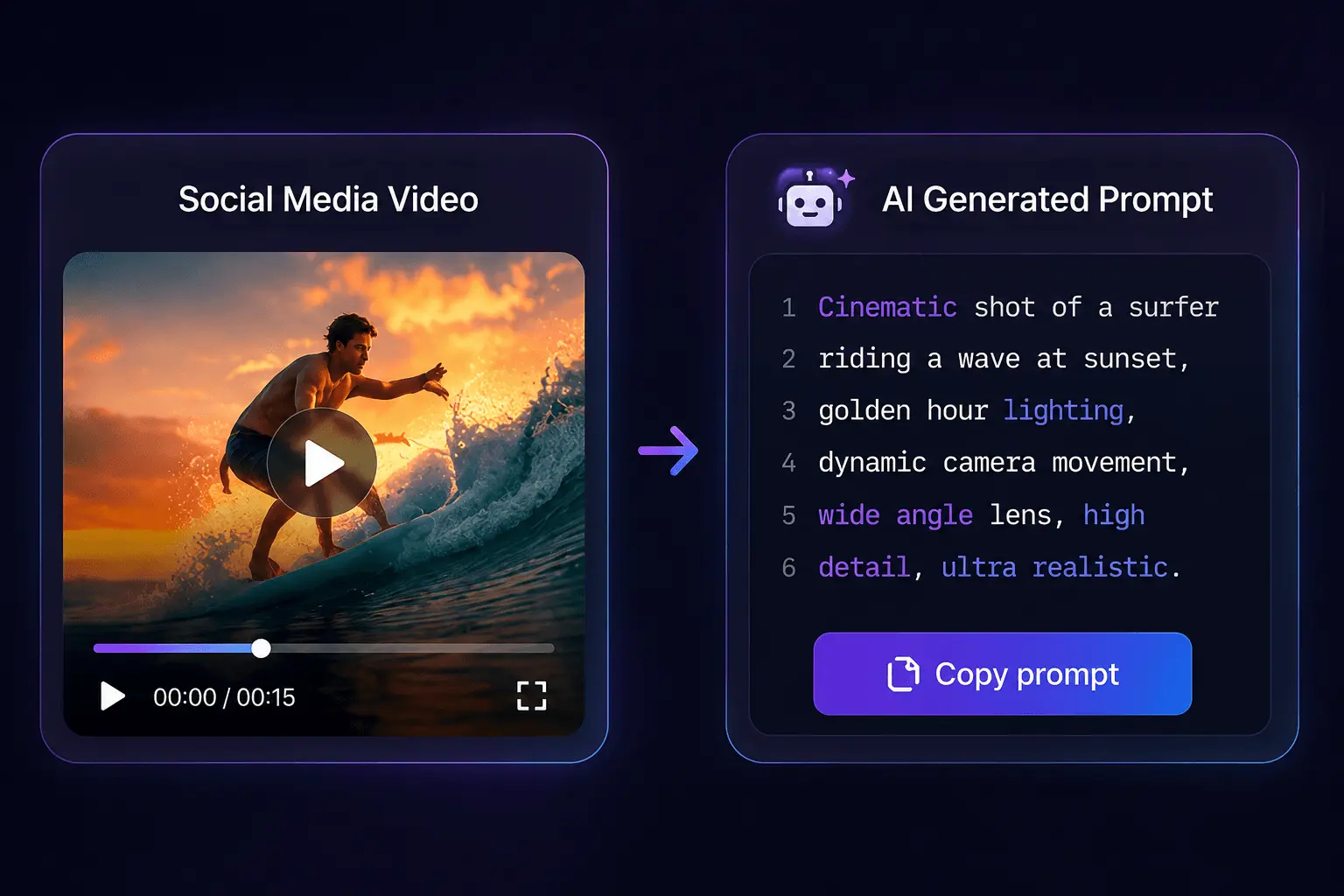
Generating a prompt consumes 3 credits, three times the extraction action. This cost structure dictates the operation order: looking at the analysis results before clicking generate saves money compared to repeatedly rerunning. In actual use, many people submit without checking intermediate results, waiting directly for the final prompt, then rerun when problems are found, doubling credit consumption per round.
Step 3: Put the Prompt into Generation Tools, and Establish a Reusable Comparison Habit
Differences in output targets are larger than imagined. Veo, Kling, Seedance, Runway, Sora, Luma, Hailuo, Pika, Vidu, PixVerse have different tolerances for prompt length and camera description granularity. Some models are sensitive to long sentences, where more detail is better; others begin to ignore the latter half beyond a certain length. For the first run, don’t change the prompt; run the original version first, compare the results side-by-side with the reference video, then decide which layer to adjust.
When comparing, check which layer the difference appears in. If motion is wrong, adjust the motion section; if style is wrong, adjust the style section; do not rewrite entire sections. Differences in fidelity for the same prompt across different generation models are usually visible in the first generation, no need to run three full rounds.
The reuse strategy is to split the prompt for the same reference video into “structure template + variable style section.” The structure template retains parts strongly bound to content like motion, camera, and rhythm; the style section is extracted separately for replacement during subsequent batch updates. In this way, the extraction results of one reference video can support over ten updates instead of starting from scratch each time.
Archiving habits determine whether you can look back after two weeks. Put the prompt, original link, and generation result together; otherwise, you can only guess which version it was by memory. The role of SocialToPrompt’s output here is to provide an archival intermediate product, fixing “how this video was shot” so you don’t need to re-run analysis for future comparisons.
Common Pitfalls: Credits, Duration, Platform Differences, and Reuse Boundaries
The 3 credits gifted upon registration expire within 24 hours; purchased credit packs are valid for 30 days. This validity difference leads to a high-frequency mistake: new accounts accumulate points without using them after registration, and by the time batch testing is truly needed, the quota is already zero. The schedule for batch testing must be pushed back according to this rhythm—run the first round of verification on the day of registration, confirm the process is usable before considering purchase.
In prompt discussions about creating short video scripts and hooks, a related judgment is mentioned: script-layer prompts and visual-layer prompts are two different things; writing them together will interfere with each other.
Duration limits are another pitfall. Credit estimation is calculated based on videos under 20 seconds. Putting a 2-minute long video directly in will make the extracted rhythm description vague, equivalent to wasting credits. Long videos must be cut in advance, keeping each segment under 20 seconds; otherwise, both budget and description precision suffer.
Platform attributes will seep into prompts. TikTok’s vertical fast cuts and YouTube’s horizontal long shots naturally produce different granularities for motion and rhythm descriptions. Instagram’s square or vertical crop will change the composition description; the same prompt reused across platforms is likely to fail. When remaking across platforms, the motion and rhythm sections basically need rewriting; only the style and lighting sections can be retained.
The scenario described in practical complaints about prompts scattered everywhere leading to rework is very typical: three months later, trying to find the prompt for a certain video, you find them scattered in chat logs, documents, screenshots; finally, you can only re-run everything.
The reuse boundary must be clear: extracting is “how this video was shot,” not “why this video is effective.” Prompt questions at the script hook layer cannot be solved—mechanisms for retaining people in the first 3 seconds, interaction design in the comments section, matching of ad placement periods; these are not within the extraction scope. Expecting to use prompts to replicate a hit’s content strategy is heading in the wrong direction.
FAQ
How many credits does extracting one video consume?
Extracting video is 1 credit, generating prompt is 3 credits, full round is 4 credits. Credit estimation is calculated based on videos under 20 seconds; exceeding this duration requires cutting segments and processing separately; total consumption is cumulative by segment count.
How long are the validity periods for free quotas and purchased credit packs?
The 3 credits gifted upon registration expire within 24 hours; purchased credit packs are valid for 30 days. The schedule for batch testing must be pushed back according to this rhythm—run the first round of verification on the day of registration, confirm the process is usable before deciding to purchase.
Which video platforms are supported? Can you upload local files directly?
All platforms covered by yt-dlp are supported, including mainstream social media like YouTube, TikTok, Instagram, Bilibili, Xiaohongshu. Local file upload supports MP4, MOV, WebM three formats, following the same analysis pipeline.
Which AI video generation models can the generated prompts be fed directly to?
Mainstream models like Veo, Kling, Seedance, Runway, Sora, Luma, Hailuo, Pika, Vidu, PixVerse are all supported. Different models have different tolerances for prompt length and camera description granularity; it is recommended to run the original version first and then adjust by model.
How to handle videos exceeding 20 seconds more cost-effectively?
Cut segments in advance, keeping each segment under 20 seconds. Directly submitting long videos will cause rhythm descriptions to be compressed and merged, cutting point information lost, and the deviation between generation results and reference videos significantly increases, equivalent to wasting credits.
Share Article


