Prompt-to-Video AI Without the Watermark: What Free Actually Includes
A creator pastes a carefully written prompt into an AI video generator, waits through the render queue, and the result comes back branded with a watermark — or a squashed 720p preview that only unlocks in clean export behind a paywall. This is the standard experience across most prompt-to-video tools in 2025, and it deserves a closer look before anyone plans a content workflow around it.
The practical question is not which tool is free, but which workflow gets clean output within the credit limits a free tier actually grants. “Free” and “no watermark” are two separate promises that rarely appear together in the same product. Understanding how these promises diverge — and what a realistic free workflow looks like — saves more time than hunting for a tool that doesn’t exist.
Most free tiers allow only single-digit generations per day, typically 3–10 credits or 5–15 clips before throttling kicks in. That’s not a lot of room for experimentation, which makes prompt quality the single most important variable in the entire process.
“Free without a watermark” is a claim, not a feature
The phrase “free without watermark” gets thrown around in tool comparisons, but it conflates two independent product decisions. A tool can be free and watermark every export. Another can offer clean output but cap credits so tightly that meaningful work becomes impossible. The two axes — cost and watermarking — are set separately by every vendor.
The monetization models behind AI video generators follow a few recognizable patterns:
- Watermark as an upgrade nudge: the free tier produces usable but branded output, and paying removes the mark. This is the most common approach because it lets users test quality before committing.
- Watermark-free output as the paid incentive: clean exports exist only on paid plans, and the free tier exists primarily as a demo.
- Resolution caps as a silent downgrade: some tools export watermark-free but cap output at 720p or limit clip length, which matters once the content needs to go anywhere professional.
The resolution cap pattern is the one most people miss. A tool can honestly claim “no watermark on free exports” while quietly limiting every clip to a resolution that won’t survive contact with an actual editing timeline. The watermark question matters less than the full constraint set — resolution, duration, and credit allowance all shape what free output is actually good for.
Credit economics also vary widely. Some tools grant daily credits that reset, others give a one-time signup bonus, and a few offer a small monthly allowance. None of these models support sustained production. They support testing, which is a different thing entirely.
What clean output costs you (and where it bites)
Once watermarks disappear, other constraints appear to take their place. The real tradeoffs on free tiers are shorter clip durations, lower export resolution, queue times during peak hours, and restricted access to newer or higher-quality models.
Free-tier clip lengths usually land between 4 and 10 seconds per generation on most builders. That’s enough for a proof-of-concept but rarely enough for an actual deliverable. The gap between a test clip and a usable asset is where free workflows break down.
| Path | Clip length cap | Resolution | Watermark | Real cost |
|---|---|---|---|---|
| Watermarked free tier | 5–10 seconds | 720p | Yes | Time lost to re-renders |
| Credit-capped clean output | 4–8 seconds | 720p–1080p | No | Daily credit exhaustion |
| Paid subscription | 10–30+ seconds | 1080p–4K | No | Monthly fee |
A concrete failure illustrates the problem. A creator spent two days refining prompts on a free tier, burning through roughly 20 daily credits across multiple failed generations. On the third day, they finally landed a clean 5-second test clip that matched their vision. The deliverable, however, needed 15 seconds and 1080p output for a social ad placement. The free path could not provide either. The rework meant starting over with a different tool or paying for a single month of access — and the 20 credits spent on iteration were gone regardless.
The resolution cap is the more insidious constraint. A 720p export looks acceptable in a preview player and falls apart on any larger screen. Upscaling tools exist, but they add processing time and rarely recover fine detail lost at the source.
Queue times also punish free users. During peak hours, free-tier renders can sit in line behind paid requests, turning a five-minute generation into a forty-minute wait. This makes iteration cycles painfully slow when credits are already scarce.
The prompt decides whether your free attempts survive
When a free tier limits the number of generations, prompt quality is the only lever a creator actually controls. A vague single-sentence prompt burns through limited credits on outputs that miss the mark. A structured prompt gets closer on the first render, preserving credits for refinement rather than correction.
The anatomy of a structured video prompt follows a recognizable pattern:
- Subject: what appears in the frame, with specific descriptors
- Action: what the subject does, including motion direction
- Camera movement: push-in, tracking shot, handheld, aerial
- Lighting: direction, quality, color temperature
- Style: visual reference, era, medium
- Aspect ratio: 16:9, 9:16, 1:1 — often tool-specific
- Negative constraints: what should not appear
Most usable generations come only after 3–5 prompt iterations. On a free tier with limited daily credits, that means a single usable clip can consume an entire day’s allowance. This is why structured, complete prompts matter more on free tiers than on paid plans — the cost of failure is measured in days, not minutes.
The community around video prompt engineering has developed useful conventions for structuring these requests. A well-documented approach to high-quality AI video prompt engineering breaks prompts into explicit segments for camera work, lighting, and motion, which maps directly to how video models interpret input.
The difference between a prompt that reads “a woman walking down a street” and one that specifies “low-angle tracking shot following a woman in a red coat walking down a rain-soaked neon-lit street at night, shallow depth of field, cinematic color grade, 35mm lens” is not cosmetic. The second prompt gives the model constraints that reduce the chance of an unusable output.
A repeatable workflow for cleaner, watermark-free generations
An end-to-end routine that works within free limits follows a consistent sequence: choose an honest tool that clearly states its watermark policy, write a structured prompt, render, inspect for artifacts and watermarks, and iterate. The inspection step matters more than most creators realize — artifacts like warped hands or flickering textures often appear only on the second or third viewing.
The “blank page” problem is the silent credit-killer. Describing an existing clip you admire from memory is unreliable because memory fills in gaps with assumptions. Reverse-engineering a reference clip into a structured prompt produces far more precise input for the generator, because the actual visual details — camera angles, lighting direction, timing — are captured rather than approximated.
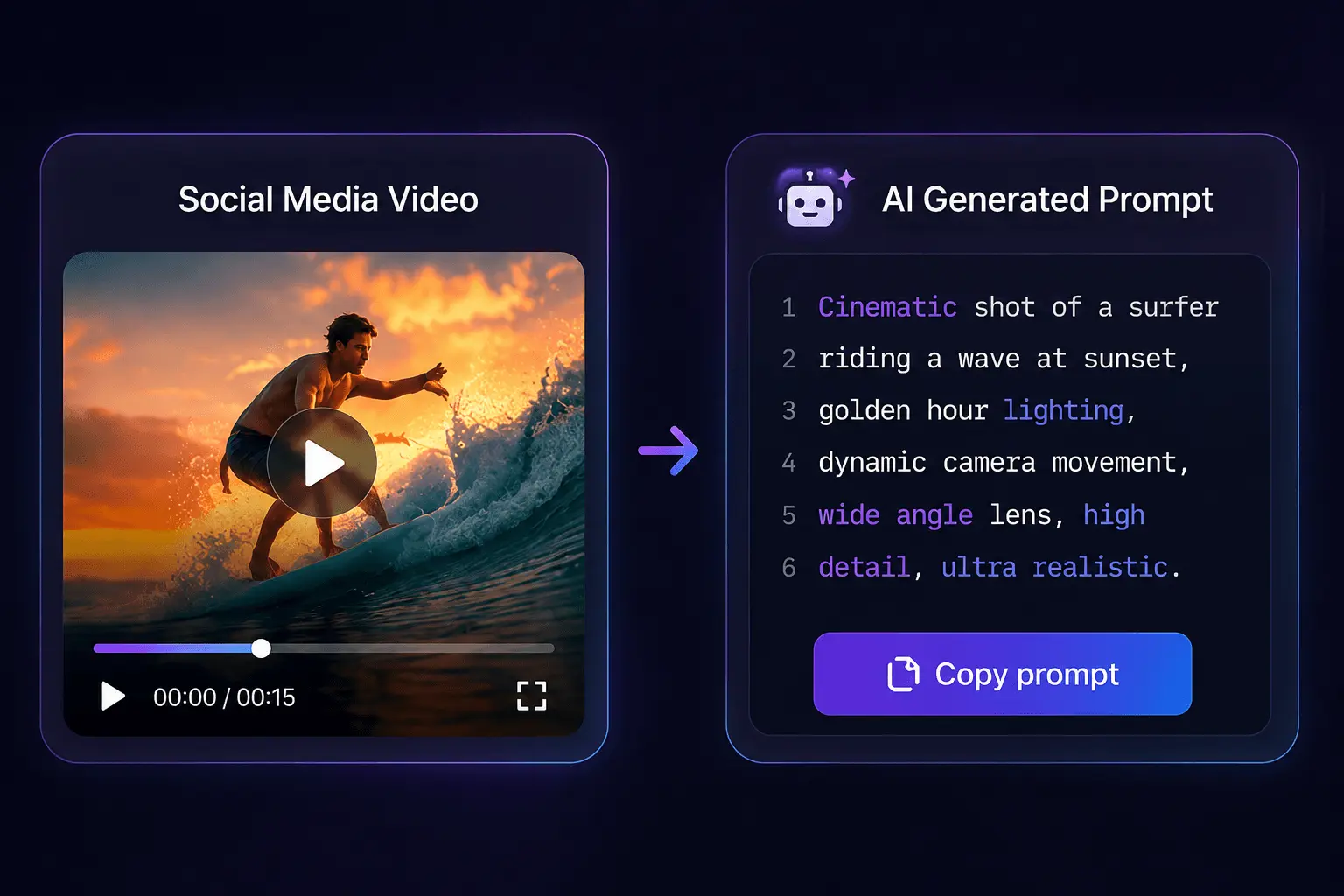
This is where converting a reference clip becomes a workflow step rather than an optional extra. A tool like SocialToPrompt analyzes video frame by frame and outputs a structured prompt that captures motion, camera work, style, and lighting — input that translates directly into a generator’s expected format. The conversion is credit-metered in the same way generation is: a 30-second clip costs about 6 credits (1 for extraction and 5 for the prompt), and a 2-minute clip around 25.
For creators working with short-form content, the prompt structure also needs to account for the platform’s conventions. Building prompt ideas for TikTok scripts and hooks into the video prompt itself helps align the output with platform-native pacing, which reduces the number of iterations needed.
The iteration loop itself benefits from discipline. Each render should be checked against the same criteria: does the subject match, is the camera movement right, does the lighting direction hold, are there artifacts. Changing multiple variables between renders makes it impossible to know which adjustment fixed the problem. One variable per iteration, even when credits feel scarce, produces better results than batch changes.
Prompt reuse is another overlooked lever. A structured prompt that produces a good result can be saved and modified slightly for variations — changing the subject while keeping the camera movement and lighting intact. This turns a single well-crafted prompt into a template that stretches limited credits further.
FAQ
Do any free AI video tools really export without a watermark?
A few do, but they compensate with strict credit caps or resolution limits. Typically you get 3–10 credits per day and output capped at 720p or short clip lengths. The clean export is real, but the constraints around it determine whether the output is actually usable.
If a tool guards clean exports behind credits, is that still “free”?
It is free in the sense that no payment is required, but the credit system functions as a metered gate. A tool that grants 5 daily credits for watermark-free exports is free but not unlimited. The distinction matters for planning: free access and free production are different things.
Does a free tier mean lower quality than a paid one, or just stricter limits?
Mostly stricter limits rather than lower model quality. The generation models are usually the same across tiers; the differences are clip duration, resolution, queue priority, and access to newer models. Paid tiers often get early access to updated models, which can feel like a quality gap.
Can I use a watermark-free free-tier output in commercial content?
Yes, if the tool’s terms allow commercial use of free-tier output — but check the license before publishing. Some tools restrict commercial rights to paid plans even when the export is clean. The watermark absence does not automatically grant commercial usage rights.
Share Article


