How to reverse-engineer a social video into a working AI video prompt
There’s a familiar rhythm to this failure. A creator watches a clip with a distinctive dolly-in, a hard light shift at the 12-second mark, and a cut pattern that snaps every four beats. They open their AI video tool of choice and start typing. Thirty minutes later, the generated result is a generic pan across a generic room with none of the tension the original carried. The clip gets closed. The draft prompt gets buried in a chat thread. The cycle repeats with the next video that catches their eye.
The core problem is not vocabulary or creativity. It’s that a human watching a 60-second clip registers maybe five or six salient details, while the generation model keys on dozens of micro-decisions per second. Nobody can hand-write that density from memory. The workaround that actually functions is to stop describing what a video looks like and start extracting the structure that’s already encoded in the footage itself.
Why writing video prompts from memory keeps failing
A person watching a clip notices the subject, the mood, maybe the color grade. A generation model needs to know the focal length behavior, the exact speed of the camera movement, when the lighting shifts relative to the action, and how the cut rhythm interacts with the subject’s trajectory. Those two lists barely overlap. Social video clips typically run 30–120 seconds, so a single clip compresses dozens of camera and timing decisions a prompt must carry.
The gap shows up in what gets omitted. Camera movement is usually the first casualty, because it’s invisible unless you’re actively tracking it. Timing is second, because it exists only in relation to other events. What survives is a pile of vague adjectives — “cinematic,” “moody,” “dynamic” — which every model interprets differently and none of them interpret well.
There’s also the organizational failure. Prompt drafts multiply chaotically across threads, documents, and chat histories. One version lives in a Discord message, another in a Google Doc, a third in a DM. When a project gets revisited three weeks later, nobody can find the version that actually worked, so it gets rewritten from scratch. The overhead of scattered prompt-housing becomes its own workflow tax.
The inconsistency compounds when the same prompt gets reused across projects. A marketing team builds an ad variant from a prompt that worked in one campaign. Six months later, the same prompt produces something visually unrelated, because the tool’s model version changed underneath it. The cached draft that reproduced a look reliably in one version silently stops working after an update, forcing the team to re-derive the prompt from the source footage again.
| Factor | Describing the clip by hand | Extracting from the source video |
|---|---|---|
| Visual detail captured | A handful of salient impressions | Frame-level motion, camera, and timing data |
| Time spent per clip | 15–40 minutes of drafting | Seconds of automated analysis |
| Consistency across drafts | Drifts with each rewrite | Stable field structure |
| Reuse in another AI tool | Requires full re-description | Drops in with minor tweaks |
The cost of this inconsistency is rarely visible in the moment. It surfaces later, when a style that took a week to establish quietly breaks and nobody can reconstruct what changed.
What a video prompt actually has to describe
A functional video prompt carries six dimensions: motion, camera work, composition, style, lighting, and timing. Still-image prompts cover composition and style reasonably well, but they have no vocabulary for sequence-level details. A pan speed, a cut rhythm, a subject trajectory across a 40-frame window — these are the parameters that separate a video prompt from an image prompt with extra words.
The scale of the problem is worth stating plainly. A 30-second clip at 30 fps is about 900 frames, meaning a prompt built from a single mental impression routinely discards nearly all of the visual information a model could use. The models themselves are not forgiving of this loss. They generate from the parameters they’re given, and they fill the gaps with their own statistical defaults.
Lighting and lens behavior are where precise wording matters most. “Golden hour glow” produces a generic warm tint. “Hard key light from camera left, shadow falloff across the background at 40 percent” produces something closer to an actual lighting decision. The difference is the difference between mood words and operational specifications.
Prompt grammar is also version-sensitive. The same structured prompt is interpreted differently across tool versions — Veo, Kling, Runway, Sora, Luma, and Seedance all parse prompt structure through their own trained priors. A phrasing that produces a slow push-in on one model version might produce a static wide shot on the next. This is why anchoring a prompt to the actual footage matters more than polishing its wording. The prompt styles and templates circulating on TikTok demonstrate how much norms vary, but they rarely solve the fidelity problem because they’re generic by design.
Reverse-engineering a clip into a structured prompt
The practical workflow is a three-step pass. Take a source video URL, let analysis run over the footage, and receive a structured prompt that captures motion, camera, style, lighting, and timing as explicit fields. The key is that the analysis happens frame by frame, not as a first-glance summary. A model that watches every frame can report that the camera pushes in over 90 frames while the subject shifts screen-left, that the lighting temperature changes at frame 360, and that the cut pattern runs on a four-beat interval. A human watching the same clip would register none of that consciously.
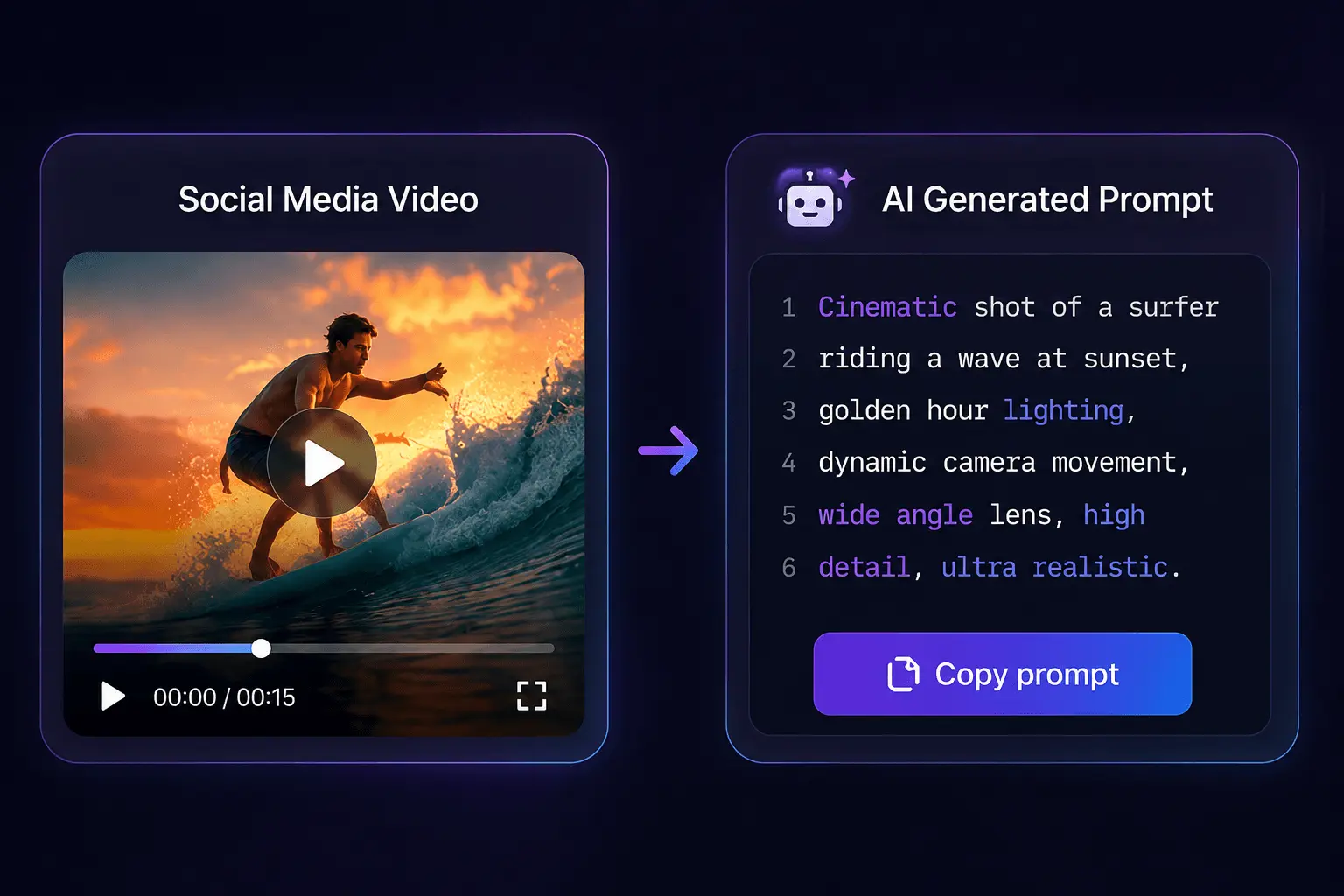
The starting sources are broader than most people assume. YouTube, TikTok, Instagram, Reddit, Bilibili, and Xiaohongshu cover most public clips, but the pipeline extends to local files when the footage isn’t posted anywhere. MP4, MOV, and WebM uploads handle the private or unreleased material that never touches a public platform.
The operational convenience of handling downloads and prompt generation in one pass matters more than it sounds. The usual alternative is juggling a download utility, a file conversion step, and a separate prompt-writing session across three different tools. Collapsing that into a single pass removes a surprising amount of friction. One service that automates this analysis is SocialToPrompt, which runs the extraction and prompt generation in the same step rather than requiring a manual handoff between tools.
The cost accounting is straightforward. A 30-second clip uses roughly 6 credits — 1 for extraction plus 1 per 5 seconds of analyzed video. A 2-minute clip runs about 25 credits. There’s no expiry pressure on the balance, which removes the subscription-clock anxiety that usually accompanies these tools. Outputs cover 30+ source platforms through a single pipeline, which eliminates the usual juggling of per-platform download utilities.
Moving the finished prompt between AI tools
Portability is the question that determines whether this workflow scales or stays a one-off trick. Different generators parse prompt structure differently, so an extracted prompt that works verbatim in one tool may need field-level adjustments in another. The realistic expectation is that fidelity is highest when the goal is recreating the source look, and remixing into something new requires editing fields rather than rewriting from scratch.
In practice, a structured prompt behaves reasonably when pasted into Veo, Gemini, Kling, Runway, Sora, Luma, Wan, or Hailuo. The motion and camera fields translate cleanly across most of them. The style and lighting fields are where interpretation diverges, because each model has its own learned visual grammar. SocialToPrompt’s output is designed to drop into multiple generators without re-describing the clip, which removes the single-tool lock-in that manual prompts usually create.
The habit that works is keeping the extracted prompt as a stable reference while making tool-specific tweaks per generation run. The extracted version stays untouched as the source of truth. Each tool gets a modified copy with its own adjustments. This prevents the drift that happens when someone edits the master prompt directly and loses the original fidelity.
What this workflow does not do is eliminate the need for judgment. An extracted prompt reproduces the source look with high fidelity, but deciding whether that look is what you want for a given project is still a creative decision. The tooling removes the transcription labor, not the intention.
FAQ
Can a prompt extracted from a video reproduce the original clip exactly?
No, not exactly. It reproduces the structural parameters — motion, camera, lighting, timing — with high fidelity, but generation models introduce their own variation on every run. What you get is a version that carries the same visual decisions, not a frame-accurate copy.
Which source formats and platforms can an existing video come from?
Any platform that yt-dlp supports, which covers YouTube, TikTok, Instagram, X, Reddit, Bilibili, Xiaohongshu, Kuaishou, Vimeo, Twitch, and roughly 20 others. Local uploads in MP4, MOV, or WebM work when the clip isn’t publicly posted.
Will the same prompt produce consistent results across different AI video tools?
The prompt will parse in all of them, but the output will differ because each model has its own trained priors. Motion and camera fields transfer most reliably. Style and lighting fields need per-tool adjustment.
What is the difference between a prompt template and a prompt derived from actual footage?
A template is a generic structure with placeholders for details you fill in yourself. A footage-derived prompt contains the actual measured parameters from a specific clip. Templates are reusable but vague. Footage-derived prompts are specific but tied to the source they came from.
Share Article


