How to Turn a TikTok Clip into a Perfect AI Video Prompt
A creator finds a strong TikTok clip, drops the link into a video generation tool, and gets back something generically wrong. The motion is different, the camera has no feel, the style is unrelated to the source. This happens constantly, and it is not a vocabulary problem. AI video tools consume structured prompts, not clips or loose descriptions. The real task is reverse-engineering the clip into its underlying visual and motion data — the dimensions a model can actually reproduce.
The difference between a clip that merely “inspired” an output and a clip that was broken down into reproducible prompt dimensions is the entire game. Better prompting vocabulary will not fix a missing motion statement. A structured breakdown of what the footage actually contains will. When the prompt carries the clip’s extracted metadata in text form — motion, camera movement, composition, style, lighting, timing, subject — the output starts to look like the source. When it does not, the generator improvises, and the result drifts into generic territory.
Why a Raw TikTok Clip Often Fails as a Prompt Source
Pasting a link or a one-sentence description into a generator under-delivers for reasons that become obvious once you look at what TikTok actually encodes. A typical TikTok clip runs 15–60 seconds but often contains 5–10 separate cuts, giving each shot only a few seconds of usable information. The platform compresses aggressively, bakes watermarks and UI overlays into the frames, and encourages fast editing rhythms that leave no single continuous action for a model to track.
The mismatch runs deeper than technical encoding. A human watching a clip remembers the vibe — the energy, the subject, the general aesthetic. What the human discards is precisely what a model needs spelled out: the cut rhythm, the camera movement between shots, the lighting direction, the duration of each scene. When an operator writes a prompt from memory, they describe what the clip felt like, not what the frames contain. The generator then fills the gaps with its own defaults, which rarely match the source.
Prompts work when they carry the clip’s extracted metadata in text form. That means treating the clip not as a reference image but as a dataset to be parsed. Frame-level analysis, not recollection, is what produces a faithful result. The operator who skips this step and relies on a rough description is gambling that the model’s implicit assumptions align with the source footage. They rarely do.
The Seven Details a Reproducible Prompt Actually Needs
A reproducible prompt is built from seven dimensions. Each one corresponds to something the model must know to recreate the footage, and each one can be read directly from the clip rather than guessed at.
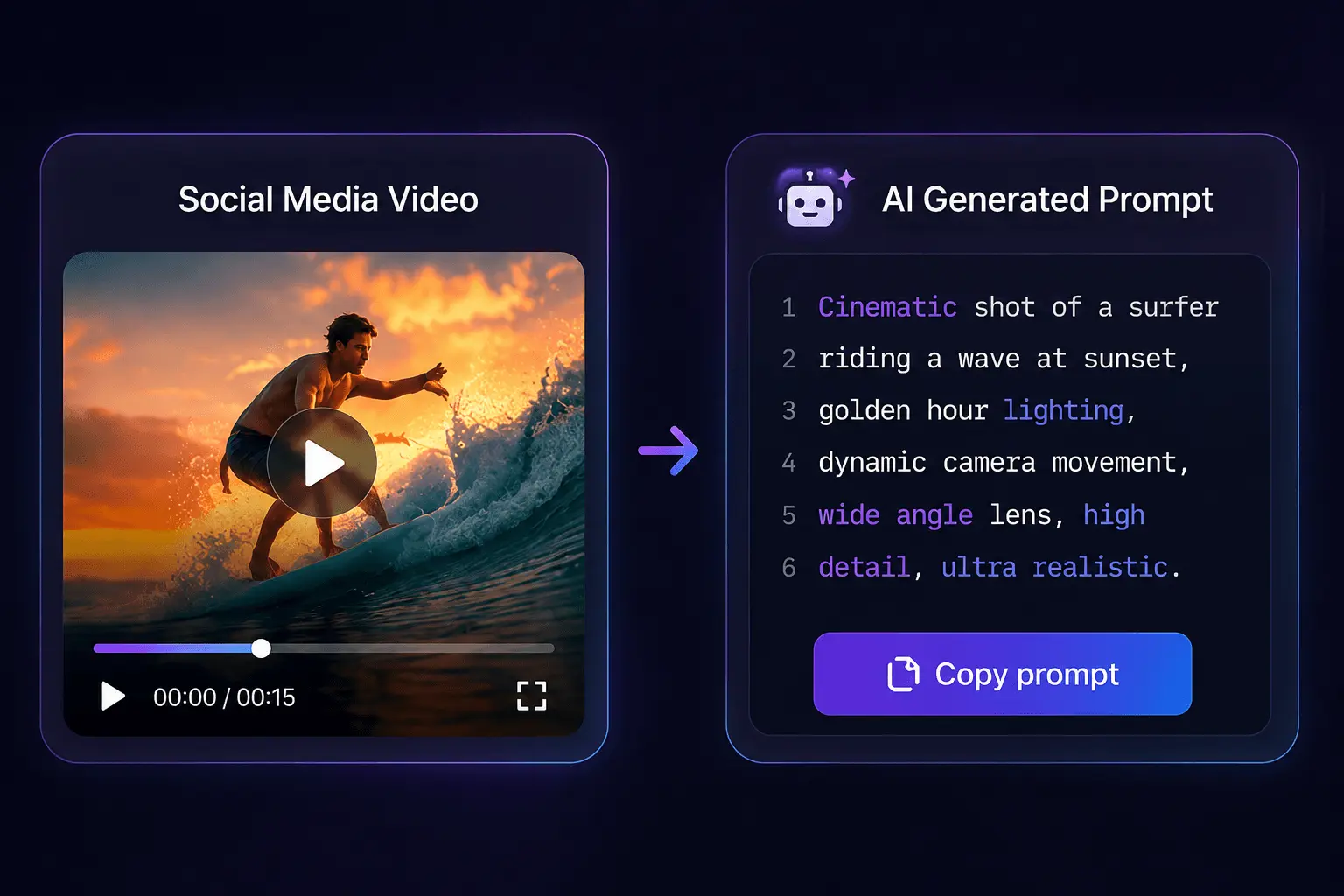
For short-form clips, motion and camera work dominate outcome quality. Visual style matters, but a model can interpolate a generic aesthetic from a few tags. It cannot interpolate how the subject moves or how the camera behaves — those are structural properties of the footage that must be stated explicitly.
| Prompt dimension | What to capture | Worked example from a TikTok clip |
|---|---|---|
| Subject | Who or what is on screen and in focus | A woman in a mustard coat walking through a market |
| Motion | What moves and how | She turns her head to camera, then walks left out of frame |
| Camera movement | Pan, tilt, handheld, locked-off | Slow handheld follow, slight shake |
| Composition | Framing, rule of thirds, negative space | Subject in left third, market stalls filling the right |
| Style | Grade, texture, lens look | Warm grade, 35mm, shallow depth of field |
| Lighting | Source, direction, contrast | Golden hour, backlit, soft shadows |
| Timing | Cut rhythm, duration, pacing | Single 6-second take, no cuts, slow pace |
Reading a clip for each dimension is a skill. For motion, watch what actually moves within the frame — the subject, the background, secondary elements. For camera, ask whether the shot is locked off or handheld, whether it pans or tilts, whether the movement is motivated by the subject or independent. For timing, count the cuts and note how long each shot holds before the edit.
A vague style tag like “cinematic” tells the model nothing it can act on. An explicit instruction — “warm color grade, 35mm lens, shallow depth of field, backlit golden hour” — gives it parameters it can reproduce. The same logic applies across all seven dimensions. A structured prompt built from these dimensions typically runs 150–250 words, versus the 10–20 words most operators default to. That length is not padding; it is the resolution of the instructions.
The Step-by-Step Workflow from Clip to Structured Prompt
The workflow from clip to structured prompt follows a fixed sequence. Skipping any step introduces noise that propagates through the final output.
Step 1 — Secure a clean copy of the clip. Watermarks and overlays are the first problem. A downloaded TikTok clip carries the platform handle, UI icons, and often a caption baked into the frames. If those elements survive into the analysis, they leak into the prompt’s style fields. The operator needs a clean source before any frame-level work begins.
Step 2 — Extract the frame-level details rather than working from memory. This is where reverse-engineering tools enter the workflow naturally. A human scrubbing through a 30-second clip frame by frame, noting camera movement and cut rhythm manually, spends 10–15 minutes per clip and still misses details. Automated analysis captures the same information in seconds. Tools like SocialToPrompt analyze motion, camera, style, and timing from a pasted link, producing a structured breakdown that would take an operator a full work session to assemble by hand. Extracting a video link and analyzing a 30-second clip takes roughly 30–60 seconds total against the 10–15 minutes of manual frame-scrubbing a human would need.
Step 3 — Draft the prompt in a fixed order. Subject first, then motion, then camera, composition, style, lighting, and timing last. The order matters because it mirrors how a generation model consumes instructions. Leading with the subject establishes the anchor; ending with timing gives the model the pacing constraints it needs to structure the output.
Step 4 — Check the draft against every dimension and insert explicit constraints for the one or two elements that made the original clip distinctive. Most clips have a signature — an unusual camera move, a specific lighting condition, a particular motion loop. Those elements need explicit, high-resolution instructions. The generic dimensions can stay loose; the signature elements cannot.
Where Clip-to-Prompt Pipelines Break Down — and How to Fix Them
The breakdowns in clip-to-prompt pipelines are predictable, and most failed recreations trace back to two causes — inherited platform overlays and a missing motion statement — rather than weak stylistic wording. The frame-analysis step that catches these issues is the one operators most often skip.
Failure mode 1: analyzing a watermarked download. The operator downloads a clip with the platform handle and UI icons visible, runs the analysis, and the generated outputs keep re-introducing platform overlay artifacts. The handle and interface elements were encoded into the style analysis, so every generation inherits them. The fix costs roughly 30 minutes of rework — re-extracting a clean copy and re-running the analysis — that a source-check upfront would have avoided. Check the source before analysis, not after the third failed generation.
Failure mode 2: over-specifying detail in fast-cut clips. A TikTok clip with six cuts in eight seconds cannot be reproduced as a single continuous action. When the prompt tries to describe every micro-detail across every shot, the generator cannot track a coherent sequence and produces a jumbled result. For short-form clips, motion and timing carry far more of the output quality than visual style, so the prompt should foreground a single continuous action loop rather than attempting to describe a narrative arc the few seconds of source footage never contained.
Failure mode 3: losing the clip’s timing signature. Cut rhythm and pace are first-class prompt data, not an afterthought. A clip edited to a fast beat needs that rhythm stated explicitly; a slow, locked-off single take needs its duration noted. Operators routinely omit timing because it feels like a technical detail rather than a creative one. It is the detail that separates a recreation from a loose interpretation.
Failure mode 4: treating the prompt as finished after one generation. The first output is a draft. Round-tripping it against the source clip — comparing the motion, the camera behavior, the pacing — reveals what the prompt failed to capture. The second pass usually fixes it. The analysis step is not about describing what the clip looks like; it is about capturing what the model cannot infer, namely cut rhythm and camera movement, which are the details a human glance routinely discards.
Before sending a prompt to any generation tool, run these checks: Is the source clean of overlays? Is there a single continuous motion statement? Is the timing signature explicit? Is the prompt built from the seven dimensions rather than a vibe description? Each check catches a failure mode that otherwise propagates into the output.
FAQ
Can a TikTok link be pasted directly into an AI video generation tool?
Most generation tools accept a link but treat it as loose inspiration, not as structured instructions. The model extracts what it can from the compressed, cut-heavy footage and improvises the rest. Pasting a link bypasses the breakdown step entirely. The reliable path is converting the clip into a structured text prompt first, then feeding that prompt to the generator.
Which of the seven prompt dimensions matters most when the source is a short-form clip?
Motion and timing carry the most weight for short-form footage. A 15-second clip with multiple cuts has little continuous action, so the model needs an explicit statement of what moves and how, plus the cut rhythm. Visual style is easier for a model to interpolate from a few tags. Omitting the motion statement produces outputs that look right but move wrong.
Does the same clip-to-prompt workflow apply to Instagram Reels and YouTube Shorts?
Yes, with one caveat. Reels and Shorts have different overlay and watermark behaviors than TikTok, so the cleaning step varies by platform. The seven-dimension breakdown applies identically because the underlying footage structure — short scenes, fast cuts, platform compression — is the same. The workflow is platform-agnostic once the source is clean.
Does it matter whether the downloaded clip carries a watermark before analysis?
It matters a great deal. A watermark or platform handle baked into the frames gets encoded into the style analysis and reappears in generated outputs as an artifact. The fix is re-extracting a clean copy before running the analysis. Skipping this check typically costs 30 minutes of rework per clip.
How long should a prompt derived from a 30-second TikTok clip be?
A structured prompt for a 30-second clip typically runs 150–250 words. That length covers all seven dimensions with enough resolution for the model to act on. Prompts shorter than 50 words usually omit motion or timing details, which are exactly the dimensions that determine whether the output resembles the source.
Share Article


