Bulk-Generating AI Video Prompts from YouTube: A Working Pipeline
Every content team eventually hits the same wall. Dozens of YouTube links sit in a shared spreadsheet, each one a competitor ad, a product demo, or a reference clip that someone flagged as worth studying. Then the manual process begins: copy the link into a downloader, open the file, watch it once or twice, and type out a description of what happened on screen. That description gets pasted into a chat window, refined into something resembling a prompt, and finally dropped into a video generator. One clip takes fifteen minutes on a good day. A backlog of forty clips takes a week.
The problem is not the watching. The problem is that a 30-second clip at standard frame rates contains roughly 700–900 individual frames, and no manual pass can characterize all of them. Hand-writing motion, camera, style, and timing notes from a single watch-through misses most of what a generator actually needs. The copy-paste dance between downloader, chat window, and generator compounds the loss at every step. Treating prompt creation as a repeatable batch operation rather than an artisanal one-off changes the math entirely.
Why Manual YouTube-to-Prompt Work Breaks Down at Volume
The bottleneck is not transcription speed. It is fidelity. A person watching a clip once registers the obvious surface: a person walks through a room, the lighting is warm, the camera follows them. What gets lost is everything underneath — the exact pacing of cuts, the direction of camera movement, the depth-of-field shifts, the way lighting changes between scenes, the micro-timing of subject motion relative to the frame.
When different people describe the same clip, the drift gets worse. One person notes “slow push-in on the subject.” Another writes “camera zooms toward person.” Both are technically describing the same shot, but a video generator will interpret them differently. Teams react to this inconsistency by hoarding prompt snippets in threads and documents, which only compounds the problem. A prompt that worked for one clip gets reused for another with different pacing and composition, and the output quality drops without anyone understanding why.
The tooling gap becomes obvious quickly. People end up building their own prompt managers because the organization problem itself becomes unmanageable — messy prompt threads scattered across chat history are not a retrieval system, they are a liability. The real issue is that prompt creation has no shared structure, so nothing survives contact with a second person or a second week.
A 30-second clip at 24–30 frames per second carries hundreds of distinct visual states. No manual pass captures even a fraction of that. The only way to get consistent, repeatable prompts is to stop treating each clip as a unique creative exercise and start treating it as a data-extraction problem.
Building a Repeatable Pipeline: From URL List to Structured Prompt
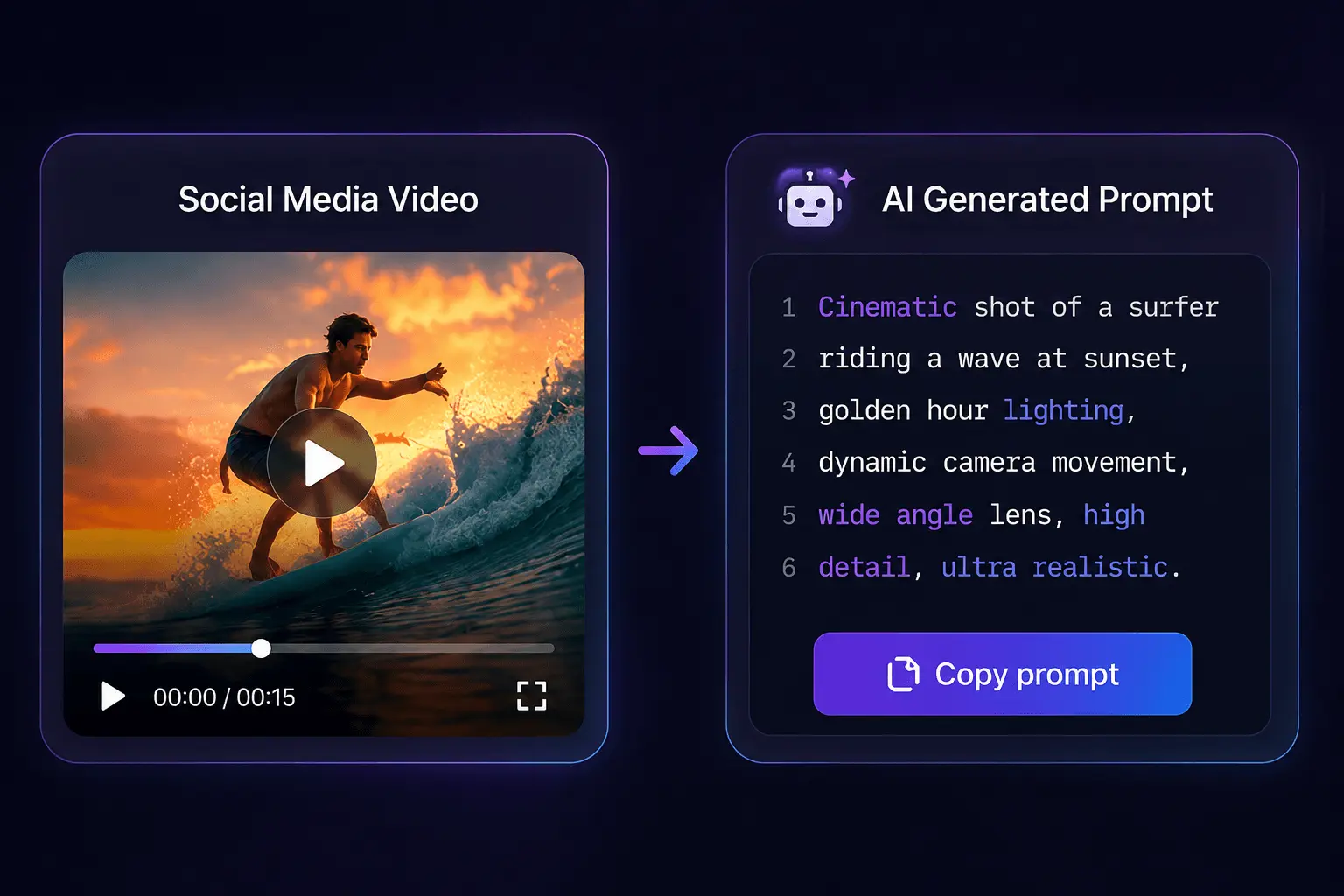
The workflow that actually scales looks like this: collect YouTube links in a batch list, extract each video, let analysis run frame by frame, and receive a structured prompt ready to drop into a generator. The key difference from manual work is that the analysis does not depend on a human noticing details — it inspects the footage itself.
A practical pipeline needs platform breadth because research rarely stays on one source. Competitor references come from YouTube, but ad inspiration shows up on TikTok, Instagram, and sometimes Vimeo or Bilibili depending on the market. A workflow that only handles YouTube forces teams back into manual transcription the moment a useful clip appears elsewhere. The platform coverage matters more than it seems — over 30 supported video platforms plus direct file upload (MP4, MOV, WebM) means the same batch process handles sources beyond YouTube without a second tool.
The turnaround changes once the process is automated. A new account starts with 10 free credits, and credits do not expire, which removes the pressure to process everything in one sitting. For a team working through a backlog of competitor references, the practical rhythm becomes: paste a batch of links, let extraction run, review the structured prompts, and route them into production.
The tool that executes this workflow is SocialToPrompt, which handles the extraction and analysis in one pass. The output is a structured prompt that carries the visual grammar of the source clip — not a loose description, but a formatted breakdown a generator can act on.
Keeping Prompt Quality Consistent Across a Large Batch
The difference between a usable bulk prompt and filler comes down to what gets documented. Motion, camera work, composition, style, lighting, and timing all need to appear in the prompt, not as vague adjectives but as specific instructions. A generator cannot reproduce pacing if the prompt flattens a clip into “a person talks to camera.” Scene-by-scene structure matters because it lets the generator reproduce the rhythm of the original instead of collapsing it into a single continuous shot.
There is a counterintuitive finding here: structural conformity across a batch is worth more than per-clip novelty. A generator reproduces a brand’s visual grammar far better when every prompt in the batch shares the same descriptive skeleton. When prompts follow the same structural template, the outputs look like they came from the same production — which is exactly what a brand needs when generating a campaign’s worth of ad variants. Novelty in individual prompts produces visually incoherent output across a batch, and incoherence reads as low production quality.
Another observation that only surfaces with volume: the same clip surfaced from different platforms carries different format and pacing cues. A vertical TikTok clip has different framing expectations than a widescreen YouTube video, even if the underlying footage is identical. Prompt fidelity depends on source context, not just the footage itself. A pipeline that records which platform a clip came from produces better prompts than one that treats all video as interchangeable.
The analysis inspects every frame of the source clip before the prompt is assembled, at a cadence of roughly one credit per 5 seconds of analyzed video on top of an extraction credit. That granularity is what separates a prompt that reproduces a clip from a prompt that merely gestures at it. The detail level required is closer to what prompt authors document in short-form video frameworks — specific enough that someone else could recreate the result without seeing the original.
The tradeoff worth naming: bulk pipelines trade uniqueness for structural conformity, and that is the correct trade when assets feed a template. A batch of thirty prompts that all follow the same descriptive skeleton will produce thirty outputs that feel like one campaign. That is the goal. If the goal were thirty distinct creative experiments, bulk processing would be the wrong tool.
From Generated Prompts to Finished Video Across Tools
The structured prompts produced by extraction do not sit in a vacuum. They feed directly into the ecosystem of AI video generators — Veo, Seedance, Runway, Sora, Luma, Kling, Pika, and others all accept a structured prompt as input. For a production team, this means routing a batch of prompts into the generator of choice for ad variants, product demonstrations, or localized content without rewriting each prompt for a different tool’s syntax.
The economics of running at scale deserve attention before the queue starts. Cost accrues per second of analyzed video, and planning a backlog means estimating total credit burn before processing, not after. A 2-minute source video consumes roughly 25 credits in total — 1 for extraction, the rest for the frame-by-frame prompt analysis. A batch of twenty 2-minute reference clips runs about 500 credits. Teams that skip this estimation step discover mid-campaign that their budget is gone and production stalls.
The hook- and script-level prompt structure that feeds into the production stage matters as much as the visual details. A prompt that captures the visual grammar of a source clip but loses the hook structure will produce video that looks right but performs wrong. The prompt templates used at the production stage need to preserve both layers.
The scaling economics also explain why the tool choice matters. Running hundreds of clips through a pipeline where credits never expire changes how a team plans. A backlog can be processed slowly, spread across weeks, without the pressure of a monthly subscription cycle forcing rushed decisions. SocialToPrompt fits into this workflow as the extraction layer — the mechanism that turns a queue of reference links into a queue of production-ready prompts without manual intervention.
What this looks like on a publishing calendar: Monday, the team drops twenty new competitor links into the batch list. Tuesday, extraction runs and prompts land in the shared prompt log. Wednesday through Friday, the production team routes prompts into the generator for the next campaign’s ad variants. The pipeline turns reference collection from a manual bottleneck into a scheduled operation.
The failure mode to watch for is scraping friction. Bulk processing runs headlong into platform rate limits, and a large queue can stall mid-run when a platform throttles requests. The mitigation is sizing the queue before starting and building in retry logic for failed extractions. Teams that skip frame-level fidelity checks on the output end up with visually incoherent results that need rework — which quietly doubles the cost of the batch.
FAQ
Can prompts be batch-generated for many YouTube videos in one pass, or is the process one video at a time?
The process handles one video per extraction, but the workflow is built for batch operation. A team pastes a list of links, runs each through extraction, and collects the structured prompts into a shared log. The per-video processing takes seconds, so a backlog of dozens of clips moves through in a single working session rather than over several days.
Do credits expire while a team slowly works through a large backlog of YouTube clips?
No. Credits are permanent and do not expire, which makes them workable for teams processing a backlog gradually. A new account starts with 10 free credits, and additional credits are consumed only as videos are analyzed. There is no monthly subscription forcing a team to process everything before a billing cycle resets.
Which AI video generation tools accept the prompts produced from extraction?
The structured prompts drop directly into the major generators — Veo, Seedance, Runway, Sora, Luma, Kling, and Pika among them. The prompt format is tool-agnostic, so the same extracted prompt can be routed to different generators without reformatting. Teams can test the same prompt across tools to compare output quality.
Does the workflow depend on YouTube specifically, or does it handle other sources and local files?
The workflow is not YouTube-dependent. It supports over 30 platforms including TikTok, Instagram, Facebook, X, Vimeo, and Bilibili, plus direct file upload for MP4, MOV, and WebM files. A team researching across platforms can run the same batch process regardless of where a reference clip originated.
Share Article


