How to Find Instagram Prompts for AI Videos Without Endless Scrolling
A media planner spots a striking AI-generated Reel during a morning scroll. The clip shows a product sweeping through a cinematic space, fabric rippling in manufactured wind. She opens the caption expecting the prompt that produced it. What she finds is eleven hashtags and a generic call to follow the account.
This scenario repeats daily across the platform. Instagram has no dedicated prompt section, no native prompt library, and no reliable tag system for AI video recipes. The prompt that created a clip is rarely posted where text search can reach it. Finding usable AI video prompts means treating discovery as a sourcing workflow rather than a single search, and knowing the difference between prompts posted openly, prompts buried in interactive formats, and prompts that must be extracted from the footage itself.
What “Instagram Prompts” Actually Refers To
The phrase carries two meanings that get conflated constantly. One refers to the platform’s older engagement feature, where creators attach a text prompt to a post to invite comments and replies. The other, and the one relevant to AI video work, refers to the text recipe shared alongside a generated clip — the structured description of motion, camera movement, style, lighting, and timing that tells a model like Veo, Kling, Runway, or Sora what to render.
In the AI video context, a prompt is not a casual sentence. A typical 5–10 second clip needs a structured prompt of roughly 50–150 words to be reliably reproducible. That word count covers subject description, camera path, lighting direction, style reference, and temporal cues. Anything shorter tends to produce outputs that drift from the intended result.
The posting formats for these prompts vary. Some creators drop the full prompt in the caption block. Others overlay it as on-screen text within the Reel. Carousel posts often reserve the last panel for a screenshot-ready prompt card. And a growing number bury the prompt in a pinned comment or the top reply, deliberately placing it one interaction deeper than the video itself.
Finding prompts on Instagram is harder than on other networks because there is no prompt tag system. TikTok’s discoverability for this content type is imperfect, but at least the platform surfaces related content through its search. Instagram offers no equivalent structure for AI video recipes, which pushes the discovery burden entirely onto the searcher.
Where Prompts Actually Hide Inside the App
The predictable spots are worth checking in order. Text overlay within the Reel appears first, visible when captions are enabled. The caption bottom line comes next, usually after the hashtag block, often introduced with “prompt:” or “recipe:”. For carousel posts, the last panel frequently carries a clean prompt card designed for screenshots. And the comments section, particularly the top reply from the creator, holds prompts that were withheld from the caption to drive engagement.

A quick audit of a creator’s last 15–20 posts reveals whether they publicly attach prompts or force a comment or follow action to unlock them. This pattern is consistent per account. Creators who gate their prompts behind interactions rarely switch to open posting, and vice versa.
| Spot | How to find it | What you typically get | Best for |
|---|---|---|---|
| Reel text overlay | Play with captions on; read the on-screen block | Short one-paragraph prompt | Creators working in quick formats |
| Caption bottom | Scroll past hashtags; lines starting with “prompt:” | Full structured prompt | Long-form breakdowns |
| Carousel last panel | Swipe to the end | Screenshot-ready prompt card | Polished prompt recipes |
| Pinned comment or top replies | Sort by oldest; replies from the creator | Prompts withheld to drive engagement | Accounts that gate content |
Checking the creator’s older posts matters more than it seems. Newer models replace older ones quickly, and prompt formulas rotate with each release. A creator who posted Veo prompts three months ago may have shifted entirely to Kling or Sora language. The account’s recent output tells you which model vocabulary you are actually getting.
One non-obvious pattern emerges from this audit work: the most usable prompts are rarely in the caption. They sit in the last carousel panel, a pinned comment, or the on-screen overlay. Traditional text search misses the majority of them because the searchable text field only indexes captions and some comment content, not the visual panels of a carousel or the burned-in text of a video frame.
Searching Instagram for Prompt Accounts and Tags
Keyword search on Instagram works when it targets the right combination. Generic hashtags like #aiprompt or #aivideo are polluted with engagement bait and unrelated content. Narrow tags tied to a current model release surface cleaner results. A tag combining a model name with a format term, such as a Veo-specific breakdown tag, returns accounts that actually post structured prompts.
The search workflow follows a repeatable sequence. Search the model name plus “prompt” or “breakdown.” Identify accounts that post consistently formatted prompts. Check whether those accounts label their content with running series or model names in the caption. Then save promising posts into a dedicated collection so the search results build into a reusable archive over time.
Searching by image intent also works when literal prompt terms fail. Describing the visual style as a query — “cinematic product reveal,” “macro texture pan,” “aerial establishing shot” — surfaces clips whose captions describe the footage rather than the generation process. This approach catches creators who post the result without labeling it as AI-generated.
Hashtags built around a released model name stay usable for roughly 2–4 months before newer models push the older tags into low-engagement territory. The vocabulary shifts with each release, and tags tied to a superseded model stop receiving fresh content. Maintaining a current archive means revisiting the search terms on a schedule, not once.
Instagram’s discovery gaps become obvious when compared against other platforms. TikTok maintains a dedicated prompt discovery page that catalogs prompt-related content in one place — a structure Instagram simply lacks. The comparison explains why serious prompt collectors maintain external archives rather than relying on in-app search.
Communities and Archives That Share and Catalog AI Video Prompts
The search inevitably moves outside the single platform. Reddit communities dedicated to prompt engineering, X threads from AI video practitioners, and cross-platform accounts that repost breakdowns from Instagram creators all serve as secondary sources. These communities exist precisely because in-app search is unreliable for this content type.

Some collectors build their own archives out of frustration with the scattered state of prompt sharing. The effort people invest in constructing cleaner repositories speaks to how broken the native discovery experience is for this content.
Verification matters before investing time in a shared prompt. Reposted prompts are frequently truncated, stripped of their temporal cues, or tied to an older model version. A prompt that worked on a model three months ago can produce visibly mismatched output on the current release. Community-maintained prompt archives typically lag the newest model release by 2–4 weeks because members verify prompts before posting them. That lag is a feature — it means the prompts are tested — but it also means the newest techniques arrive slowly.
Ecommerce and direct-to-consumer marketers reuse these communities to find product-focused prompt angles. A prompt built for a cosmetics reveal or a fashion detail shot transfers across brands with minor subject swaps. The community archives save searching time, but they carry the tradeoff of delayed freshness.
The failure case here is concrete. A reposted prompt built for an older model produced a visibly mismatched output when tested in a current generator. The clip came out with the wrong lighting direction and a camera move the original never had. Fixing it cost roughly two production cycles — one to diagnose the mismatch, one to rebuild the prompt from scratch. That experience anchors the argument that verification and reverse-engineering beat blind reuse of community-sourced prompts.
What to Do When the Prompt Was Never Published
The dead end arrives eventually. An impressive AI video appears with no attached prompt in the caption, no overlay text, no carousel panel, and no pinned comment. The creator either never intended to share the recipe or deliberately withheld it. This is where the sourcing workflow shifts from searching to reverse-engineering.
Analyzing the video frame by frame reveals the underlying recipe. Motion direction and speed, camera path and focal behavior, composition and framing choices, style and color grading, lighting placement, and timing cues all become visible with careful inspection. A 10-second clip analyzed across frames produces a structured prompt that typically runs 80–200 words and reproduces the core visual recipe.
The practical alternative is a dedicated video-to-prompt analysis step within a broader publishing workflow. Tools like SocialToPrompt handle the extraction automatically, converting footage into a structured prompt that captures the visual details a manual review might miss. The extracted prompt structure ports into mainstream AI video tools, so the reverse-engineered output is not locked to one generator. Veo, Kling, Runway, and Sora all accept the same underlying prompt format with minor adjustments.
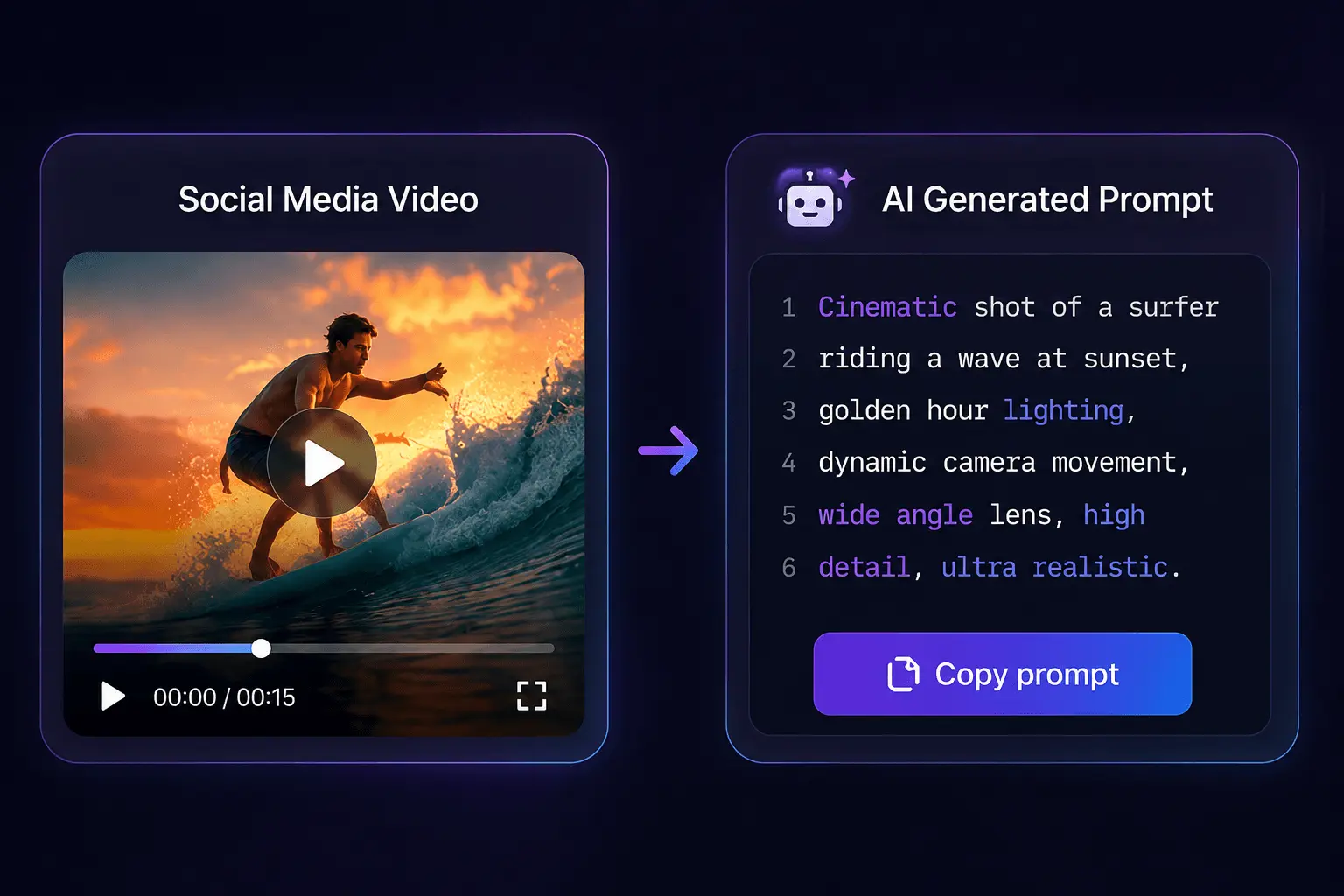
Rebuilding a prompt from footage yields a persistent asset even when the original poster deletes the post. The extracted prompt becomes yours — documented, structured, and reusable. This maintenance benefit matters for teams that build prompt libraries over time, because it insulates the archive from the volatility of social platforms.
The reverse-engineering approach also sidesteps the verification problem that plagues community archives. A prompt extracted from current footage is by definition compatible with the current state of the tools that produced it. No lag, no truncation, no model mismatch.
FAQ
Are Instagram prompts the same thing as the engagement prompts shown under some posts?
No. Engagement prompts are a platform feature that invites comments and replies. AI video prompts are text recipes describing motion, camera, style, lighting, and timing for a generation model. The two share the word “prompt” but serve entirely different functions.
Why do common prompt-related hashtags keep returning sparse or recycled results?
Generic hashtags attract engagement bait and recycled content. Model-specific tags stay usable for roughly 2–4 months before newer releases rotate the vocabulary. Narrow tags tied to a current model release surface cleaner results than broad ones.
Can I reuse a prompt that a creator posted for an older AI model?
Sometimes, but expect drift. Model updates change how prompts are interpreted, and a prompt tuned for an older version can produce mismatched output on the current release. Test before committing production time, or rebuild the prompt from the footage itself.
What is the difference between searching for a prompt and reverse-engineering it from a video?
Searching finds prompts the creator chose to share. Reverse-engineering extracts the recipe from footage where no prompt was published. Searching is faster when it works; reverse-engineering is reliable when the prompt was never posted or the post gets deleted.
Do I need to watch a full Reel to capture the prompt, or is the caption usually enough?
The caption is rarely enough. Most usable prompts sit in the last carousel panel, a pinned comment, or the on-screen overlay. Captions typically carry hashtags and engagement hooks, not the full structured recipe.
Share Article


