
Last Wednesday at 11 PM, I had three tabs open simultaneously: a TikTok vertical hit, a 40-minute YouTube livestream replay, and a Xiaohongshu talk. The task was to unify them into reusable structured Prompts, then feed them separately to Veo, Kling, or Seedance for replication and modification. The first two got stuck on link parsing; the third got stuck on low visual information volume—that night I realized that the selling point “supports multi-platform” basically amounts to nothing if not examined closely.
Looking closer, it is actually three verifiable dimensions: link coverage, local file fallback, and the structure of the output Prompt. Link coverage determines how many types of share links you can paste directly; local file fallback determines whether there is still a backup path when encountering private content, regional restrictions, or deleted videos; structure level determines whether the converted output can be fed directly or needs to be manually rewritten. This article only discusses these three things, not a generic inventory of “best tools.”
Multi-platform is Not Just a Slogan: Check Link Coverage and Fallback Paths First
To judge a video-to-Prompt tool’s platform capability, first look at whether its backend can ingest various share links, not how many icons are listed on the homepage. Currently, mainstream link parsing paths are mostly built on yt-dlp; whatever sites it supports define the tool’s upper limit. When vendors advertise “covers about 40 sites,” they refer to mainstream sources like YouTube, TikTok, Instagram, Bilibili, Kuaishou, Xiaohongshu, Twitch, and Vimeo; niche platforms and regional sites are often not included.
Link parsing and local file upload are two completely different input paths; the latter is often treated as an accessory function, but its actual role is underestimated. Private posts, content requiring login to access, deleted videos, and cases where short-link redirects fail to identify the landing page—link parsing almost always fails here. At this point, local file upload is the true fallback path; supporting MP4, MOV, and WebM formats is enough to cover most export scenarios.

Common failure scenarios are more numerous than imagined. Livestream replays often cannot get stable direct links; if the landing page after a short-link redirect is JS-rendered by the platform, the parser will return empty directly; private posts even with links cannot pull content without session credentials. These are not tool bugs, but boundaries of the parsing path itself.
Short video platforms are the main source of Prompt material; there are even specialized prompt content aggregation pages on TikTok where many creators exchange reusable prompt templates. Converging the three steps of “download + analyze + generate Prompt” into one entrance saves not just operation time, but more importantly reduces version misalignment in intermediate links—having the downloaded version not match the analyzed version is the most common place for issues in batch processing.
Four Source Types, Four Extraction Difficulties
Dividing platforms by content form into four categories, each has completely different obstacles when converting to Prompts. Duration, aspect ratio, visual layers, and audio-visual relationship determine the actual performance of the same workflow on different materials.
Long video types (YouTube, Bilibili) have issues with dense shot changes and single video duration far exceeding tool limits. The maximum video duration for a single complete workflow is 20 seconds; anything beyond must be sliced first and processed individually. Livestream replays often run tens of minutes; the slicing workload itself is a hidden cost.
Vertical short video types (TikTok, Kuaishou, Instagram Reels) face obstacles in rhythm. Shot movement is fast and transitions rely heavily on templated effects; the Prompt must explicitly describe rhythm and timing, otherwise the replication will only “look like” but not “be the same” as the original.
Text/image community types (Xiaohongshu, Reddit, X) videos are often just part of the content; usable clips after link parsing are short and visual information volume is low. Manual segment screening is almost inevitable.
Live and audio types (Twitch, SoundCloud, Mixcloud, Bandcamp) focus on human voice with limited visual value; converted Prompts are closer to scripts than visual descriptions. Using visual Prompt standards to demand this type of material is wrong from the start.
| Platform Type | Representative Platforms | Main Extraction Obstacles | Suggested Input Method |
|---|---|---|---|
| Long Video | YouTube, Bilibili | Dense shot changes, duration limit exceeded | Download and slice first, then local upload |
| Vertical Short Video | TikTok, Kuaishou, Instagram | Fast rhythm, many template effects | Use share link directly |
| Text/Image Community | Xiaohongshu, Reddit, X | Short video clips, sparse info | Link parsing + manual segment screening |
| Live & Audio | Twitch, SoundCloud, Mixcloud | Voice-focused, low visual value | Process by script purpose, do not pursue visual fidelity |
Determinants of Prompt Fidelity: Frame-level Analysis or Copy Summary
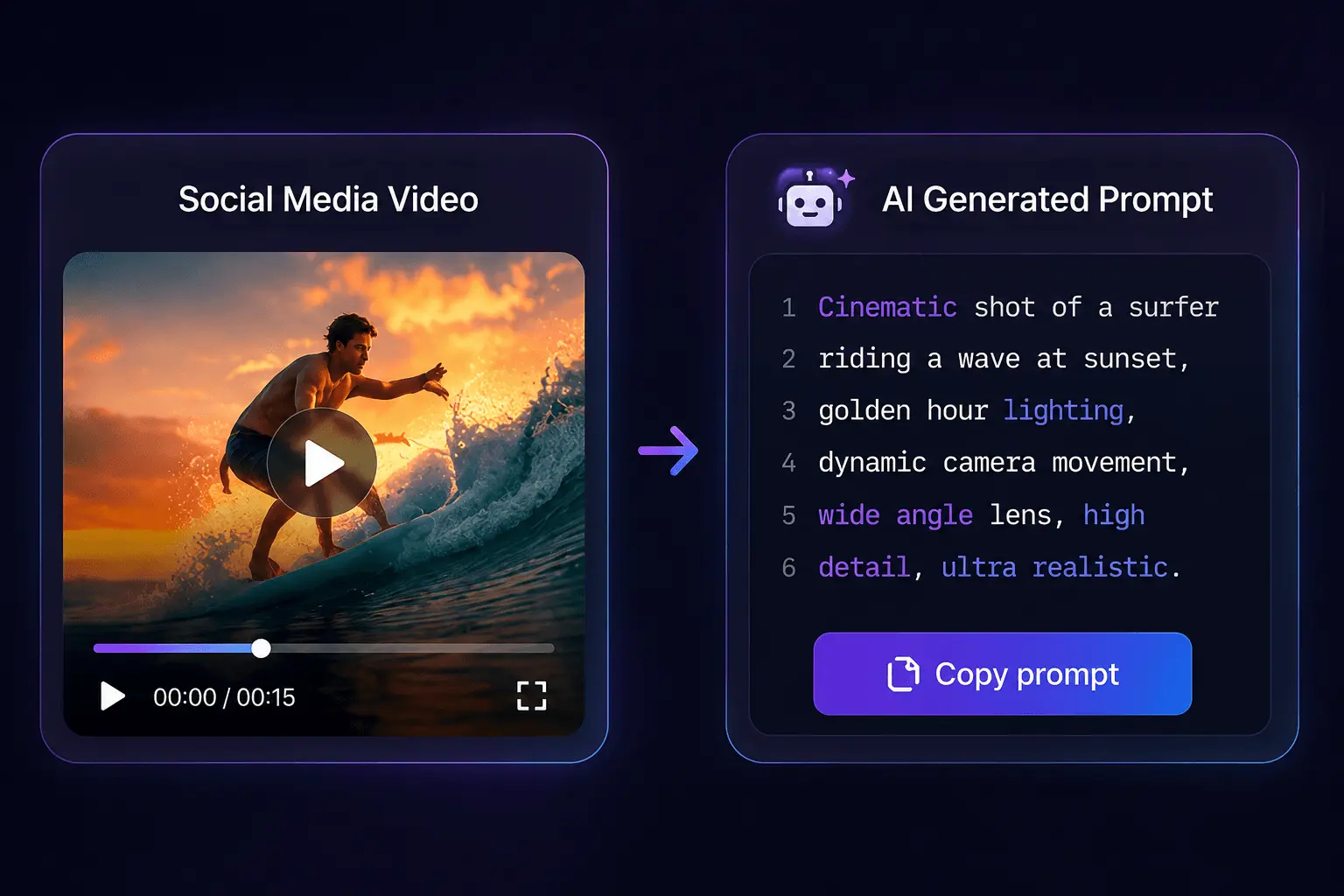
Outputs fall into two categories: one is structured fields generated after frame-by-frame analysis, the other is prose-like descriptions summarizing the video as text. The former covers six dimensions: movement, shot, style, timing, lighting, and composition; missing one will cause deviation during replication—for example, missing the lighting field causes the generated result’s color temperature to shift overall; missing the timing field changes fast-cut rhythm into uniform progression.
Structured fields are better suited for direct feeding into generation tools like Veo, Kling, Seedance, Runway, Sora, Luma, Pika, and Higgsfield, because their input interfaces inherently expect itemized descriptions rather than a paragraph of natural language. Prose descriptions look smooth but often require manual breakdown during feeding, a rework cost that is frequently overlooked.
Talk and tutorial video Prompts naturally have lower value; this reality needs to be clarified in advance. Visual information is already scarce, and fields from frame analysis are mostly undifferentiated descriptions like “person centered, background blurred, even lighting,” feeding these into any tool won’t yield recognizable results. Using the wrong scenario wastes credits.
After summarizing multi-platform materials, Prompts need a unified format; otherwise, every cross-tool reuse requires manual rewriting. The pain point here lies not in generation but in management—materials come from three or four platforms with different output formats, and by the time batch feeding happens, field names don’t match. When handling the trouble of cross-platform format unification, SocialToPrompt’s output structure is relatively fixed, saving at least the manual field alignment step.
A complaint that repeatedly appears in the community is that prompts are scattered across multiple threads and documents, and reuse cost is higher than generation cost. There is a creator discussion thread complaining about chaotic prompt management on Reddit that puts it plainly: what truly slows down the workflow is not the few seconds of generation, but failing to find the usable Prompt from last time afterward.
Cost Structure and Validity: When Credits Run Out
The breakdown for per-use billing is: extracting the video and generating the Prompt are two independent billing actions. Extract costs 1 credit, generate Prompt costs 3 credits, totaling 4 credits for a complete 20-second video run. During batch processing, it is easy to underestimate the total because people are used to estimating by “number of items” rather than “number of actions.”
The validity difference between trial credits and purchased credits directly affects scheduling. Registered free 3 credits are valid for 24 hours, purchased packages are valid for 30 days. Hoarding credits without using them may cause expiration; this is a hard constraint in project scheduling, not a product defect—but many only discover the credits have expired when they want to use them.
The relationship between video duration and consumption is not linear; after slicing, total cost accumulates by segment. A 60-second material cut into three segments is 3 complete workflows, totaling 12 credits. If batch processing doesn’t calculate the total first, it is easy to exhaust the purchase package by mid-month. I once saw a real failure: a team scheduled 50 items, but on average each cut into 2.5 segments; the budget ran out in the second week, leaving half the month paralyzed.
Subtitle exports (SRT, VTT, TXT) and similar ancillary products have significant practical use on talk-style materials. SRT can go directly into editing software for timelines; TXT is suitable for feeding script models; VTT has the best compatibility in web players. These products themselves are not billed extra, but their secondary utilization value for talk content is higher than visual Prompts.
Implementation Workflow: Three Common Breakpoints When Feeding Prompts Back to Generation Tools
Breakpoint 1: Aspect ratio and duration mismatch. Material is 9:16, target tool defaults to 16:9; composition descriptions in the Prompt need to be rewritten synchronously. Direct feeding results in the subject being cropped or white space on sides; one rework equals one complete billing.
Breakpoint 2: Fidelity replication and secondary adaptation are two paths. Feeding the same Prompt directly often yields “looks like but not” results, requiring explicit replacement of style and character fields. To adapt, modify style descriptions; to replicate, preserve original appearance; mixing them does both poorly.
Breakpoint 3: Script-driven content (hooks, talks, reviews) should take another branch of the prompt. Using visual Prompts to restore script-style videos is waste; the core of such content is Hook and speech rhythm, not visuals. There is a discussion about TikTok script and hook prompts on Reddit that separates script prompts from visual prompts; the logic is much clearer than mixing them.
Naming, archiving, and rerun strategies for batch cross-platform materials are worth setting aside time for. One rerun equals another 4 credit complete workflow; validating with a small sample first then scaling up is the only way to control costs. Suggest adding platform, duration, and slice sequence number to filenames; otherwise, after two weeks you cannot distinguish which is which.
FAQ
What sources do multi-platform video-to-Prompt generators generally support?
Mainstream tools typically cover about 40 sites including YouTube, TikTok, Instagram, Bilibili, Kuaishou, Xiaohongshu, Twitch, and Vimeo; the backend relies on yt-dlp’s parsing capability. Failure rates are significantly higher for niche platforms and private content requiring login; at this point local file upload (MP4, MOV, WebM) is the actually available fallback path.
How to handle long videos over 20 seconds without wasting credits?
Must slice first; single workflow limit is 20 seconds, anything beyond won’t complete. Suggest slicing 2 to 3 small samples first to verify effects; confirm Prompt quality before scaling up to process the whole material; otherwise one full re-run adds billing by segment count.
Can generated Prompts be fed directly to tools like Veo, Kling, Seedance, or do they need rewriting?
Structured field output can basically be fed directly, but aspect ratio and duration fields usually need manual alignment to the target tool’s default values. Prose descriptions need to be split into items first; the rework time for this step is often longer than generation itself.
Is there a difference in output Prompt quality between uploading local video files and pasting share links?
Analysis quality itself has no difference; the difference lies in input stability. Link parsing is affected by platform anti-scraping and login restrictions; local files are not constrained by these, but require completing download and slicing first, adding a manual step.
Are the credits for this type of tool permanent or do they expire?
Per-use billing tools usually distinguish between trial credits and purchased credits. Trial credit validity is short, commonly 24 hours; purchase packages are generally valid for 30 days. Treat validity as a hard constraint during scheduling; hoarding credits without using them makes expiration easier.
Share Article


