Prompting Gemini for Video: A Practical Structure That Actually Works

The scenario is familiar by now. Someone pastes “cinematic shot of a woman walking through rain, moody blue tones, dramatic lighting” into Gemini and waits for something that looks like a film still. What comes back is generic — a clip that could belong to any video, with none of the specific intent behind the words.
The problem is that prompting a video model is shot direction, not wishful description. Gemini converts language into moving sequences. A prompt needs to describe what the camera does and what moves in the frame, not just how the scene should feel. Treating it like a text-generation prompt — stacking mood adjectives and hoping for the best — produces footage that satisfies none of them.
This article lays out a working framework for structuring Gemini video prompts. It covers why adjective-heavy phrasing fails, what elements actually carry weight, how to direct motion and timing deliberately, and where reference footage fits into the process.
Why Adjective-Led Prompts Fall Flat in Gemini
Text-generation prompting habits carry over poorly to video output. Years of writing keyword piles for chatbots taught people that more descriptive words equal better results. With image models, that approach partially worked — style adjectives like “cinematic” or “dramatic” could nudge a still image in a certain direction.
Video models operate differently. A generated clip typically spans only a few seconds of footage — enough for one clear action. Every loosely defined word in the prompt consumes that limited space. When Gemini receives “cinematic, moody, dramatic, atmospheric,” it has to guess what those words mean in motion. The result is a compromise clip that checks none of the boxes convincingly.
The word “cinematic” is particularly useless in a video prompt. It carries no information about lens choice, camera movement, or framing. Same with “dramatic” — dramatic could mean slow motion, harsh shadows, or a sudden camera push-in. The model has to pick one interpretation at random.
This is the core tradeoff: video generation runs cost time and credits, and a single clip gives you one shot at the direction. Wasted direction means discarded output and another run. The ambiguity that text models tolerate becomes expensive when every generation consumes a generation slot.
A Working Structure for Gemini Video Prompts
Six elements carry most of the weight in a Gemini video prompt: subject, action, camera movement, lighting, composition, and style reference. The order matters more than most people expect. Practitioners who replace abstract style adjectives with concrete camera and motion instructions consistently see more faithful output — a pattern discussed at length in communities that share prompt breakdowns, like this thread on engineering an AI video prompt from scratch.
Element order changes what the model weights. Subject first, then camera, then style consistently outperforms shuffled or alphabetical ordering. The model appears to prioritize early tokens when resolving conflicts between instructions.
| Prompt element | Weak phrasing | Effective phrasing |
|---|---|---|
| Subject | “a woman in the rain” | “a woman in her 30s, wet hair, denim jacket, standing under a streetlamp” |
| Action | “walking moodily” | “slowly turning her head toward the camera, then looking down” |
| Camera | “nice shot” | “slow dolly-in from a low angle, slight handheld wobble” |
| Lighting | “moody” | “single overhead streetlamp, hard shadows, cool blue color temperature” |
| Style | “cinematic” | “35mm film look, shallow depth of field, anamorphic lens flare” |
| Timing | “eventually” | “action completes within 3 seconds, camera holds for 1 second after” |
What gets deliberately left out matters just as much. Over-prompting — packing every imagined detail like wardrobe, lens type, color grade, mood, and lighting into one prompt — forces the model to satisfy conflicting constraints. The output becomes a generic compromise. This pattern emerged as creators migrated from image-generation habits, where long keyword stacks worked. The consequence is wasted generation runs and discarded footage.
A full example built line by line:
Subject: a street musician playing an acoustic guitar on a subway platform. Action: he finishes a chord, looks up at the camera, and smiles slightly. Camera: slow push-in from a medium shot to a close-up over 4 seconds. Lighting: fluorescent overhead tubes, mixed with warm incidental light from a passing train. Composition: subject off-center left, empty platform space on the right. Style reference: documentary footage, handheld feel, natural color grading.
Each line earns its place. The subject grounds the scene. The action gives the clip a beginning and end. The camera movement adds dynamism. The lighting defines the visual mood without relying on vague adjectives. The composition guides framing. The style reference anchors the aesthetic.
Directing Motion, Camera, and Timing on Purpose
The core difference from image prompting is that video prompts must state what moves, in which direction, and at what pace. Separating subject motion from camera motion is essential. A prompt that says “the camera follows the subject” leaves both movements undefined. Better to specify each independently.
State the camera move before the mood. “Slow pan right across the room” gives the model a concrete instruction. “Atmospheric pan” leaves it guessing. The same logic applies to subject motion — describe the action as a sequence of beats rather than a single verb.
Duration and pacing inside a short clip need explicit handling. “Fast” and “slow” are interpreted inconsistently across runs. Specifying movement as a count of beats or seconds within the clip returns more predictable results than the adjective alone. “The subject walks from the left edge of frame to center over 2 seconds, then stops” is a direction. “Quick walking” is a gamble.
The narrative layer runs alongside the visual layer. What happens in the clip — the action, the implied story — needs its own description separate from how it looks. A prompt that only describes visuals produces footage that looks nice but goes nowhere. A prompt that only describes action produces footage that feels unconsidered visually.
For pacing work, short-form video formulas translate well. Creators trading prompt formulas for TikTok-style pacing and hooks have developed patterns for compressing attention-grabbing movement into the first second of a clip. The same logic applies to Gemini — the opening frames need to establish motion immediately, or the clip reads as static.
Build Stronger Prompts from Reference Footage
There is an honest ceiling to imagination-based prompting. Describing a clip from memory loses the actual motion, lighting, and editing decisions that make footage read as real. The subtle camera drift, the specific color grade, the exact timing of a cut — all of it gets approximated and flattened when written from memory alone.
The workflow that produces better results starts with an existing video. Breaking down a reference clip into reusable prompt elements preserves the decisions that made the original work. A one-minute reference clip can pack in dozens of separate camera and lighting decisions. Documenting them all by hand eats several minutes per clip, and most people skip the effort — which is exactly why reference-driven prompts stay rare.
The manual process looks like this: watch the clip, pause at each shot change, note the camera movement, the framing, the lighting setup, the subject’s action, the pacing. Transcribe each frame’s camera work and grading. Then assemble those notes into a structured prompt. It works, but it is tedious enough that most creators abandon it after a few clips.
Tools that automate frame-by-frame extraction close that gap without touching the creative direction. SocialToPrompt handles the tedious part — pulling a video from a supported platform and converting it into a structured prompt that captures motion, camera work, composition, style, lighting, and timing. The output drops directly into Gemini or any other video generation tool.
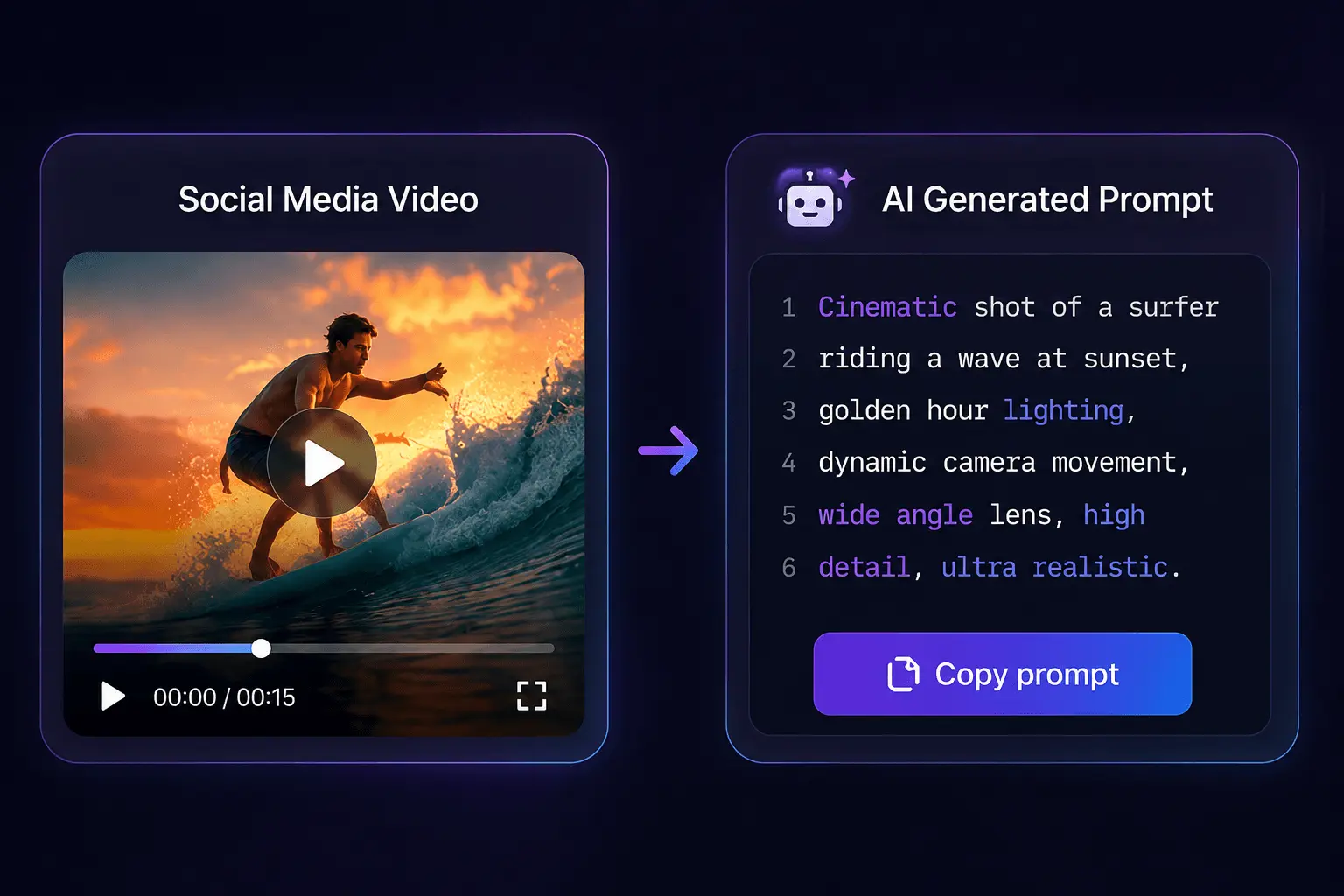
Where do people find reference footage worth breaking down? Some mine their own past work — clips that performed well or footage they shot but never used. Others pull from public sources across platforms like YouTube, TikTok, and Instagram. The practical constraint is finding clips where the camera work and grading are visible enough to document. Communities that trade and refine prompt formulas often share well-documented reference prompts alongside their breakdowns, and there is a community thread on organizing prompt libraries worth reading if you are starting to collect your own.
The automation approach preserves the actual motion and grading decisions rather than approximating them from memory. A prompt reverse-engineered from a real clip is more faithful than one written from imagination because every element in it corresponds to something that actually happened on screen. For creators producing consistently, SocialToPrompt removes the manual transcription step that otherwise makes reference-driven prompting impractical at scale.
FAQ
How long should a Gemini video prompt be?
Aim for 50 to 150 words covering subject, action, camera movement, lighting, composition, and style. Shorter prompts lack enough direction for the model to work with. Longer prompts introduce conflicting constraints that produce generic output. If a prompt exceeds 200 words, cut redundant adjectives and focus on the six core elements.
Does every Gemini video prompt need explicit camera instructions?
No, but the output will be less predictable without them. If the camera stays static, say so explicitly — “static wide shot” prevents the model from inventing unnecessary movement. For dynamic scenes, camera instructions are the difference between intentional footage and random motion. The more specific the camera direction, the more control over the result.
Can Gemini accept a reference image or video as part of the prompt input?
Gemini supports image input alongside text, which helps establish subject and composition. Video input is more limited depending on the model version. When video input is unavailable, a text prompt describing the reference clip’s motion, camera work, and grading serves as the alternative. Converting a reference video into a structured text prompt works across all model versions.
What is the difference between prompting Gemini for text and prompting it for video?
Text prompts describe ideas and let the model handle structure. Video prompts must describe sequences — what moves, in which direction, at what pace, with what camera behavior. Text generation tolerates ambiguity because the model can clarify through follow-up. Video generation has one output window, so every word must carry directional weight rather than atmospheric suggestion.
Share Article


