How to Turn a YouTube Short Into an AI Video Prompt, Step by Step
The scenario is familiar: you watch a YouTube Short that holds attention for the full duration, and you can sense why it works—the pacing is tight, there’s one clear movement beat, the color grade feels deliberate. Then you open your AI video tool of choice and try to describe it. The resulting prompt is either too vague (“a person walking in a city”) or so wordy it loses coherence, and the generated clip drifts somewhere unrecognizable.
The fix is not better creative writing. It’s disciplined observation—reverse-engineering a finished Short into its structural components and expressing those in a form AI video models can actually act on.
A YouTube Short is a dense reference source because short-form vertical video compresses an unusual amount of visual information per second. A 30-second clip carries a hook, a single narrative beat, deliberate 9:16 composition, and intentional pacing—all in a package that most AI video generators can parse into meaningful output.
Why a YouTube Short Is Actually a Strong Prompt Source
Short-form vertical video operates under constraints that work in your favor when building prompts. YouTube Shorts run up to roughly three minutes of vertical 9:16 footage, but most effective ones land between 15 and 60 seconds. That limitation means total visual information is bounded, making frame-by-frame analysis viable in minutes rather than hours. You can review a Short multiple times, note where cuts happen, observe how the camera behaves, and catalog the lighting—all without drowning in footage.
Long-form content, by contrast, spreads its visual language across scenes, locations, and setups. A 20-minute video might contain five distinct lighting environments and a dozen camera approaches. Extracting a coherent prompt from that requires deciding which segment matters, which is a separate problem entirely.
What a finished Short already encodes is useful structure: a hook in the first two seconds, one subject doing one thing, and an edit rhythm that keeps momentum. These map cleanly onto the input fields most AI video generators expect—subject, action, camera movement, style, timing, lighting. The vertical 9:16 framing is often the first detail people lose when writing prompts, because most web-referenced prompt examples assume landscape orientation. You have to state it explicitly rather than assume the model will infer it.
The honest caveat: a Short gives you a reference, not a license to clone. Extraction is about structure—motion, pacing, composition—not pixel-for-pixel copying. The goal is understanding what makes the video work, then translating those principles into a prompt that produces something inspired by the original rather than traced from it.
What to Extract From a Short Before You Write Anything
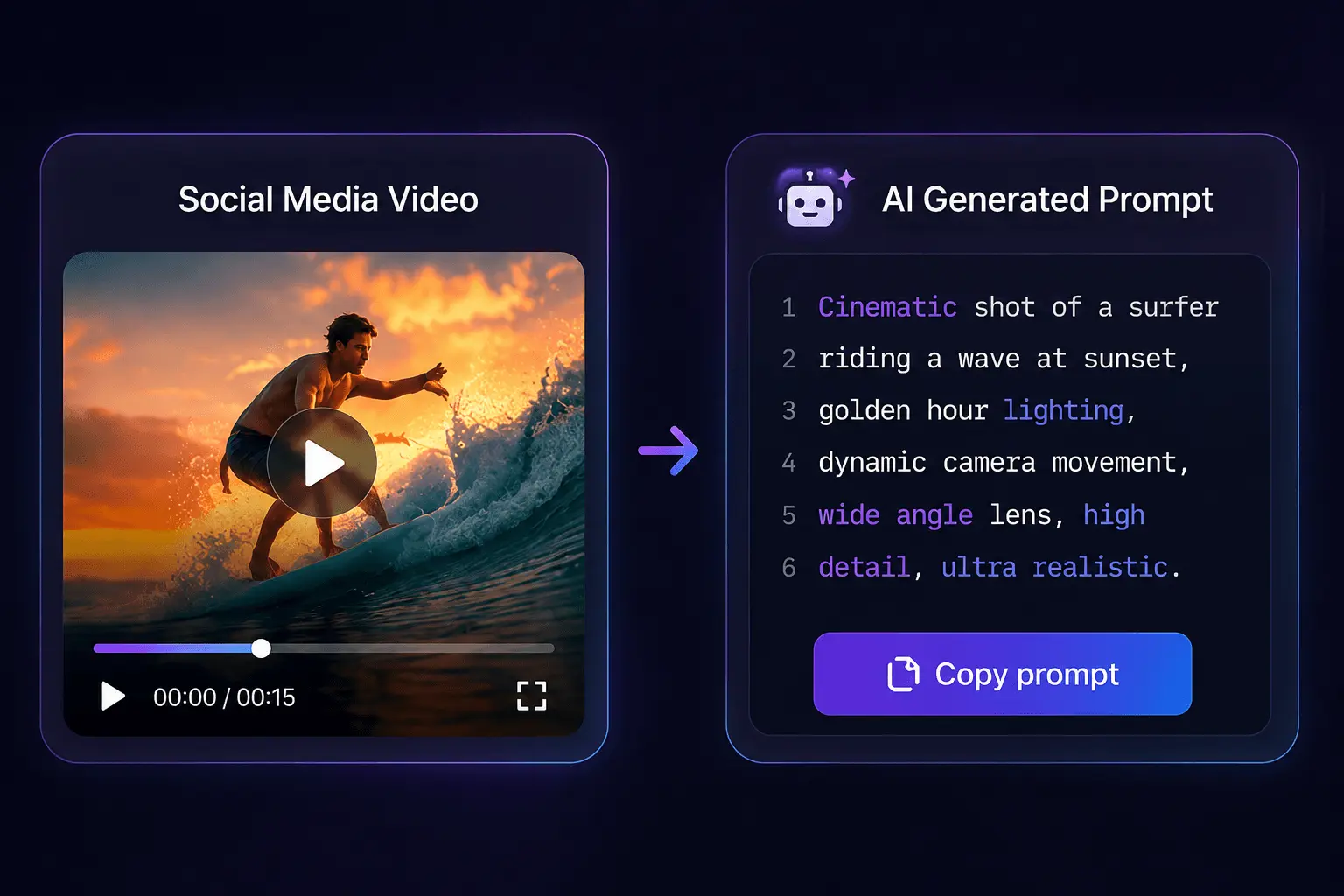
Before touching a prompt, break the Short into observable fields. These are the components that make up a reusable prompt:
- Subject and action — who or what is moving, and what are they doing
- Camera movement — static, handheld, dolly, orbit, push-in
- Visual style and texture — film grain, animation style, photorealism, lens characteristics
- Lighting and color grading — warm versus cool, high contrast, soft diffused light, neon accents
- Timing and rhythm — how long each shot holds, where cuts land
- Composition and framing — subject position, negative space, depth of field
Capturing motion details requires watching the Short in short passes. One pass for the subject’s movement, another for camera behavior, a third for lighting changes across cuts. Taking a single keyframe as a reference helps anchor the visual style description—it gives you something concrete to describe rather than relying on memory.
Audio and sound design are usually the least portable elements to image-to-video models. Most generators ignore audio entirely or handle it poorly, so spending prompt tokens on “upbeat background music with a bass drop” rarely produces anything useful. What matters is the edit rhythm, which you can describe as timing parameters—fast cuts every two seconds, or a slow push-in that holds for eight seconds.
The micro-details separate a generic prompt from a high-fidelity one. Transition speed, lens feel, light source direction—these are the differences between “a person walking in a city” and “a person walking through neon-lit Tokyo streets at night, shot on a 35mm lens with shallow depth of field, camera tracking alongside at walking pace.” The second version gives the model concrete constraints to work within.
Most short-form generators translate roughly one to two clear motion beats per prompt reliably. Trying to encode more than that in a single pass usually degrades output—the model can’t decide which movement to prioritize, and the result becomes muddled. Pick the dominant motion and describe it precisely, then let secondary details support rather than compete.
The hook and edit rhythm of the Short define timing parameters. If the original opens with a sudden movement in the first second, that’s a prompt instruction. If it holds a static shot for several seconds before revealing the subject, that’s also a prompt instruction. These structural decisions are what make the output feel like it belongs to the same family as the reference.
For a deeper look at how structured prompts are engineered in practice, this breakdown of engineering a high-quality AI video prompt covers the thinking behind field organization.
A Working Walkthrough: From Short URL to Usable Prompt
The practical pipeline has five steps. You can run it manually, but automated analysis handles most of the work with better consistency.
First, copy the Short’s URL from YouTube. Second, run it through a video-to-prompt tool or do a manual keyframe review—this is where you capture the fields described above. Third, organize findings into structured prompt fields. Fourth, paste the result into your target generator. Fifth, run one refinement loop after seeing the first output.
Automated URL analysis beats manual note-taking for most workflows. It’s faster, and it captures fields consistently every time. A tool like SocialToPrompt processes the video frame-by-frame and returns structured output covering motion, camera work, style, timing, lighting, and composition. The consistency matters because manual extraction tends to miss the same fields repeatedly—usually camera movement and timing, which are harder to describe from memory than visual style.
Some posts require a download step before analysis. When URL extraction is blocked—paywalled content, region restrictions, or platform anti-scraping measures—you can download the video locally and upload the file directly. Most video-to-prompt tools accept MP4, MOV, and WebM uploads, which covers essentially everything YouTube Shorts produces.
Porting the same prompt across different generation tools requires adjustment. Veo, Seedance, Kling, Runway, Sora, and Luma all accept slightly different input structures. Some prefer natural language paragraphs; others work better with comma-separated field lists. The underlying components stay the same, but the formatting changes. Read the target tool’s documentation once and adapt accordingly.
The practical reality is that you should plan for at least one re-render after reading the first output. The first generation is rarely correct—it’s a baseline that shows you what the model understood and what it missed. A structured three-step pipeline (paste link, analyze, run prompt) can move a Short to a first generation attempt in well under a minute of active work, so the iteration cost is low. Budget for it rather than hoping for a perfect first pass.
Refining the Prompt and Avoiding the Common Failure Modes
Copying a Short’s visuals too literally produces duplicated or dead output. When a prompt describes the source shot-for-shot—same framing, same movement, same color values—the generator often returns something that looks like a compressed copy of the original, complete with artifacts and a lifeless quality. The tradeoff between fidelity and originality is real: too close, and you get a bad duplicate; too far, and you lose the reference entirely.
The most common failure modes are consistent across tools:
- Forgetting the 9:16 aspect ratio, producing landscape output that crops the composition
- Overloading the prompt with every observable detail until the model can’t prioritize
- Leaving source watermarks and logos unhandled, which then appear in generated frames
- Importing platform-specific compression artifacts into the prompt description
The vertical aspect ratio issue is the most frequent miss. Many prompt writers adapt examples from web-referenced sources that assume landscape, then wonder why the output doesn’t match the Short’s composition. State the aspect ratio explicitly in the prompt.
Watermarks and compression artifacts need deliberate filtering during extraction. YouTube Shorts carry platform compression—banding in gradients, softening in fast motion, occasional blockiness. If you describe the video’s texture faithfully, you import those artifacts into the prompt. The analysis step should treat them as noise, not content. Same with watermarks and channel logos: they’re not part of the visual language, so they shouldn’t appear in the style description.
Generalizing style words is the fix for over-literal prompts. Instead of describing the exact color grade, describe the feeling: “moody, desaturated, with warm highlights.” Instead of replicating the precise camera path, describe the effect: “slow push-in that builds tension.” This gives the model room to interpret while staying within the reference’s spirit. Over-literal prompts—those that describe the source Short shot-for-shot—are the most common reason a generator returns distorted or “dead” frames on the first render. A single generalization pass usually fixes the issue.
Adjacent short-form platforms serve as useful reference pools for hooks and pacing. If you’re stuck on how to structure the prompt’s timing parameters, looking at how other short-form creators handle opening moments and cut rhythm can broaden your options. There are existing prompt references for TikTok that show how pacing and hook structures get translated into generation instructions.
When refinement keeps producing weak output, the move is to drop manual tweaking and re-run automated analysis for a cleaner baseline. Manual refinement accumulates drift—each small edit moves the prompt further from the source material until you’re describing something that never existed. Re-running the analysis resets to an accurate baseline, and you can apply one generalization pass instead of five incremental edits.
The timeline for getting a prompt right follows a predictable pattern. The first output is vague and misses details. The second pass, after one refinement, gets closer but still has issues. The third pass is where output starts matching intent. This is normal—it’s the cost of working with models that interpret language differently than humans do. The fix for over-literal prompts is one intentional generalization pass, which typically resolves the issue within a second attempt. Budget for at least one refinement loop before judging whether a prompt works.
FAQ
Can a YouTube Short be automatically converted into an AI video prompt?
Yes. Automated tools analyze the video frame-by-frame and extract structured fields covering motion, camera work, style, timing, lighting, and composition. The process takes under a minute for a typical Short, compared to 10–15 minutes for manual note-taking. The output still needs a quick review before use.
What prompt format works best when the source video is a vertical Short?
State the 9:16 aspect ratio explicitly—don’t assume the model will infer it. Then structure the prompt by field: subject and action, camera movement, style, lighting, timing. Most generators handle comma-separated field lists better than dense paragraphs. Keep motion beats to one or two per prompt.
Do tools that generate prompts from YouTube Shorts work with any AI video generator?
Most produce output compatible with major tools like Veo, Seedance, Kling, Runway, Sora, and Luma. You may need to adjust formatting—some tools prefer natural language, others structured lists. The underlying components transfer; the syntax doesn’t always.
Is reusing a prompt derived from someone else’s Short a copyright problem?
Prompts describe structure and style, not the original footage itself. Extracting the pacing, composition, and lighting approach is different from reproducing the actual video. That said, if the output closely resembles the original’s unique creative elements—distinctive characters, specific locations, recognizable branding—you’re on shakier ground. Generalizing the style words keeps you in safe territory.
Share Article


