How to Turn a TikTok Video Into an AI Video Prompt
Watching a viral TikTok clip and thinking “I want to make something like that” usually ends one of two ways. Either the attempt gets abandoned after a few weak generations, or the creator settles for a vague approximation that shares almost nothing with the original beyond a general vibe. The reason is rarely a lack of effort. It’s that human memory compresses visual information aggressively. Someone watches a 20-second clip once and remembers the subject, the color tone, and maybe a rough sense of the camera movement. Everything else — the exact pacing of the cuts, the direction of the motion, the lighting logic — gets lost in translation.
The workaround is to stop treating prompt-writing as a creative writing exercise and start treating it as an extraction problem. A TikTok clip can be broken down frame by frame into its component visual decisions, then reassembled into a structured prompt that an AI video generator can actually act on. The process takes minutes, not the hour-plus that manual note-taking tends to swallow. And the output is portable: one structured prompt works across different generators with only minor adjustments.
Why build an AI prompt from a TikTok video at all
Short-form video is the densest source of visual language most creators have access to. A 30-second TikTok clip can pack in a whip-pan transition, a lighting shift, a camera push-in, and a style treatment that would take paragraphs to describe adequately in plain language. Writing a prompt from memory after watching that clip once means reconstructing all of those decisions from an unreliable mental recording.
TikTok is a particularly strong source for this kind of extraction because of its format constraints. Most trend formats live in clips well under 60 seconds, which keeps the analysis cheap and fast. A creator does not need to sit through a 10-minute video to isolate the one visual effect worth copying. The entire clip can be processed in a single pass, and the iteration loop is tight enough that testing a prompt against the original takes minutes.
What gets lost when someone hand-writes a prompt from a single viewing is predictable: frame-accurate details like the exact moment a transition fires, the shot composition at the start versus the end of a movement, and the timing cues that separate a professional-looking clip from a flat one. These are precisely the elements that prompt-driven video models respond to.
There is also a distinction worth making between recreating a look and remixing it. A faithful recreation attempt needs the extracted structure to be as complete as possible. A remix only needs the dominant visual signature — the lighting treatment, the camera behavior, the color grade — extracted cleanly so it can be transplanted into a different subject or scene. Both approaches benefit from the same analysis; they just use different parts of the output.
The final reason to build prompts this way is portability. A structured prompt extracted from a TikTok clip is not locked to one tool. The same text can be dropped into Veo, Sora, Runway, or Kling with minor phrasing tweaks, which means the extraction effort pays off across every generator a creator might switch between.
The TikTok-to-prompt pipeline, step by step
The workflow breaks down into three operational steps, and each one exists to remove a specific point of friction.
Step one: obtain the source material. Pasting a TikTok link into a download or extraction tool produces a much cleaner source than screen-recording the clip. Screen recordings carry compression artifacts, platform UI overlays, and often a dropped frame rate. Direct extraction pulls the original file, which matters because the analysis in the next step is only as good as its input.
Step two: run frame-by-frame AI analysis. This is where the actual reverse-engineering happens. The analysis examines motion direction, camera work, composition, style treatment, lighting setup, and timing across the clip. Each of these dimensions gets identified and logged so the resulting prompt reflects what the video actually does rather than what a viewer remembers it doing.
Step three: receive a structured prompt. The output is not an unstructured paragraph of description. It is a formatted prompt with distinct sections for subject, scene, motion, camera behavior, lighting, and timing. That structure is what makes the prompt usable across different generators without heavy rewriting.
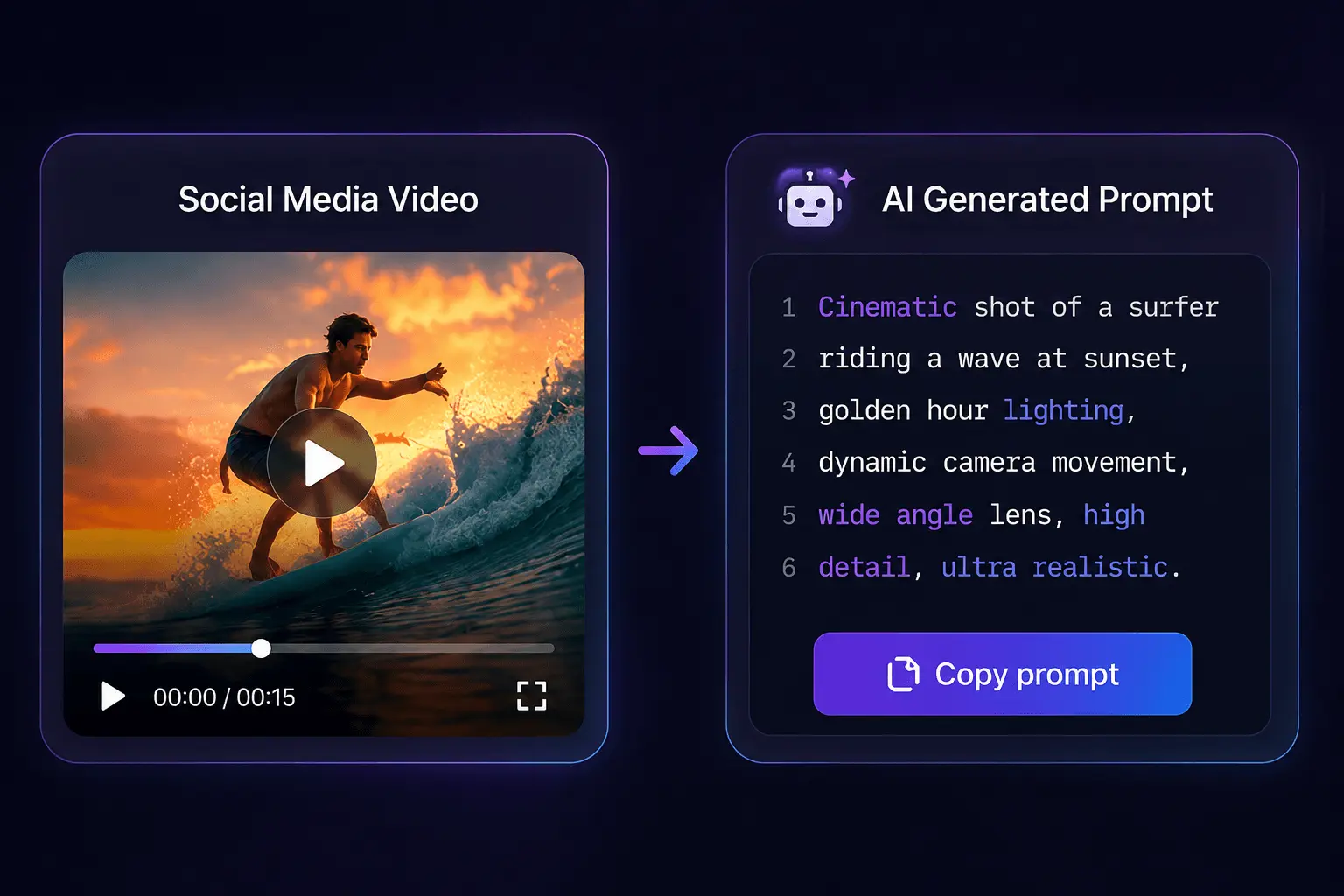
The time difference between this and manual note-taking is significant. A 30-second clip takes roughly a minute to process through the full pipeline. Manual analysis of the same clip — pausing, noting camera angles, estimating cut timing — typically runs 15 to 20 minutes and still misses details. Tools that charge by usage meter this predictably: extraction models cost roughly 1 credit to pull the video plus 1 credit per 5 seconds of analyzed footage, so a 30-second clip runs about 6 credits and a 2-minute video around 25.
When a direct URL fails — which happens with region-locked content or platform-side changes — the fallback is straightforward. Most extraction tools accept a local file upload of the MP4 or MOV instead. The analysis pipeline is identical; only the input method changes. A tool like SocialToPrompt sits inside this workflow as one example of a service that handles both the URL extraction and the frame-by-frame analysis in a single pass, but the pipeline itself is platform-agnostic. The same three steps apply whether the source is TikTok, YouTube, Instagram, X, Reddit, or Xiaohongshu.
What a good TikTok-derived prompt actually contains
A structured prompt extracted from a real clip encodes six dimensions: motion, camera, composition, style, lighting, and timing. Each dimension maps to a specific set of instructions that a video generation model can execute.
The subject and scene description anchors the prompt, but the operational value comes from the motion and camera language. This is where the wording of the extracted prompt matters as much as the analysis itself. Models like Veo and Kling respond to operational phrasing — “slow push-in,” “handheld tilt,” “tracking shot following the subject” — far better than they respond to mood adjectives. “Cinematic and dramatic” produces weak, generic output. “Low-angle shot with a slow dolly-in as the subject turns toward camera” produces something a model can actually construct.
Vertical framing carries through from the source clip. TikTok-native content is shot for a 9:16 viewport, and that composition logic — subject placement within a tall frame, the way movement reads vertically — needs to be preserved in the prompt. Generators default to landscape or square output, so the prompt must explicitly state the aspect ratio and the vertical composition intent.
The limits of text prompts show up most clearly with audio-driven trends. Sound-synced cuts, duet formats, and beat-matched transitions all rely on audio cues that a text prompt cannot carry. The best a prompt can do is describe the visual result as beat-timed transitions — “cuts land on every fourth beat” — and let the generator approximate the pacing. A creator expecting frame-perfect audio sync from a text prompt will be disappointed, and that expectation should be set early.
The fidelity caveat applies to the whole exercise. Extraction captures structure and style, not a pixel-perfect copy. The output is a starting blueprint that reproduces the visual decisions of the original clip — the lighting logic, the camera behavior, the color grade — but it will not clone the source frame for frame. Treating the extracted prompt as a foundation for iteration rather than a finished product is the difference between a useful workflow and a frustrating one. This is where a service like SocialToPrompt ends its role in the pipeline: it produces the structured blueprint, and the creator takes over from there, adjusting the prompt against the generator’s output until the result matches the intent.
Getting a TikTok prompt working in an AI video generator
The hand-off is deliberately simple: copy the extracted prompt text and paste it into the generator’s input field. Because most major generators accept industry-standard prompt phrasing, the same TikTok-derived prompt stays usable across Veo, Sora, Runway, Kling, Seedance, Luma, Vidu, Pika, Wan, and Hailuo without heavy reformatting.
When a text prompt underperforms on a difficult clip, the fix is usually not more prompt text. Pair the extracted prompt with keyframes or the original first and last frames as an image reference. Generators handle visual reference inputs well, and giving the model the actual opening and closing compositions removes the guesswork that pure text leaves in place. This combination — structured text prompt plus image reference — resolves most cases where a text-only prompt produces output that drifts from the source clip’s look.
Iteration on the prompt itself is also part of the workflow. When the generated output does not match the original clip’s pacing, the timing lines are usually the culprit. Trimming or rephrasing those sections — tightening the transition descriptions, specifying the beat count more precisely — tends to correct the mismatch faster than rewriting the entire prompt.
The broader principle is that this extraction workflow scales beyond TikTok. The same pipeline that handles a single viral clip is positionally identical to managing a multi-platform library of short-form content. A creator pulling references from TikTok, YouTube Shorts, and Instagram Reels runs the same three steps per clip, and the coverage extends to more than 30 video sources. A workflow built once for one TikTok video carries across an entire content library without reconfiguration.
FAQ
What does “TikTok to prompt” actually mean?
It means reverse-engineering a TikTok clip into a structured text prompt that an AI video generator can use. The process analyzes the video frame by frame to extract motion, camera work, composition, style, lighting, and timing, then formats those findings into a prompt rather than leaving the description as an unstructured paragraph.
Do AI video generators accept a direct TikTok link, or must the video be converted first?
Generators do not accept direct TikTok links. The video must first be converted into a prompt (or keyframes) through an extraction step. That means either pasting the link into a download/extraction tool or uploading the local video file, then feeding the resulting prompt text into the generator’s input field.
Can a generated prompt recreate a TikTok video exactly?
No. Extraction captures structure and style, not a pixel-perfect copy. The prompt reproduces the visual decisions — lighting, camera behavior, color grade, timing — but the output will differ in subject detail and exact framing. Treat the prompt as a blueprint for iteration, not a clone command.
Which visual details can realistically be extracted from a short TikTok clip?
Six dimensions come through reliably: motion direction, camera behavior, composition, style treatment, lighting setup, and timing of cuts or transitions. Audio-driven elements like sound-synced cuts can only be approximated as beat-timed transitions, since a text prompt carries no audio data.
Are text-only prompts enough, or do I need reference images for complex effects?
Text-only prompts handle most standard clips, but complex effects benefit from adding reference images. When a text prompt underperforms, pair it with keyframes or the original first and last frames. Generators use those visual references to anchor composition and style, which resolves most cases where pure text drifts from the source.
Share Article


